Is Your Phone Watching You? Real Signs and How to Lock It Down
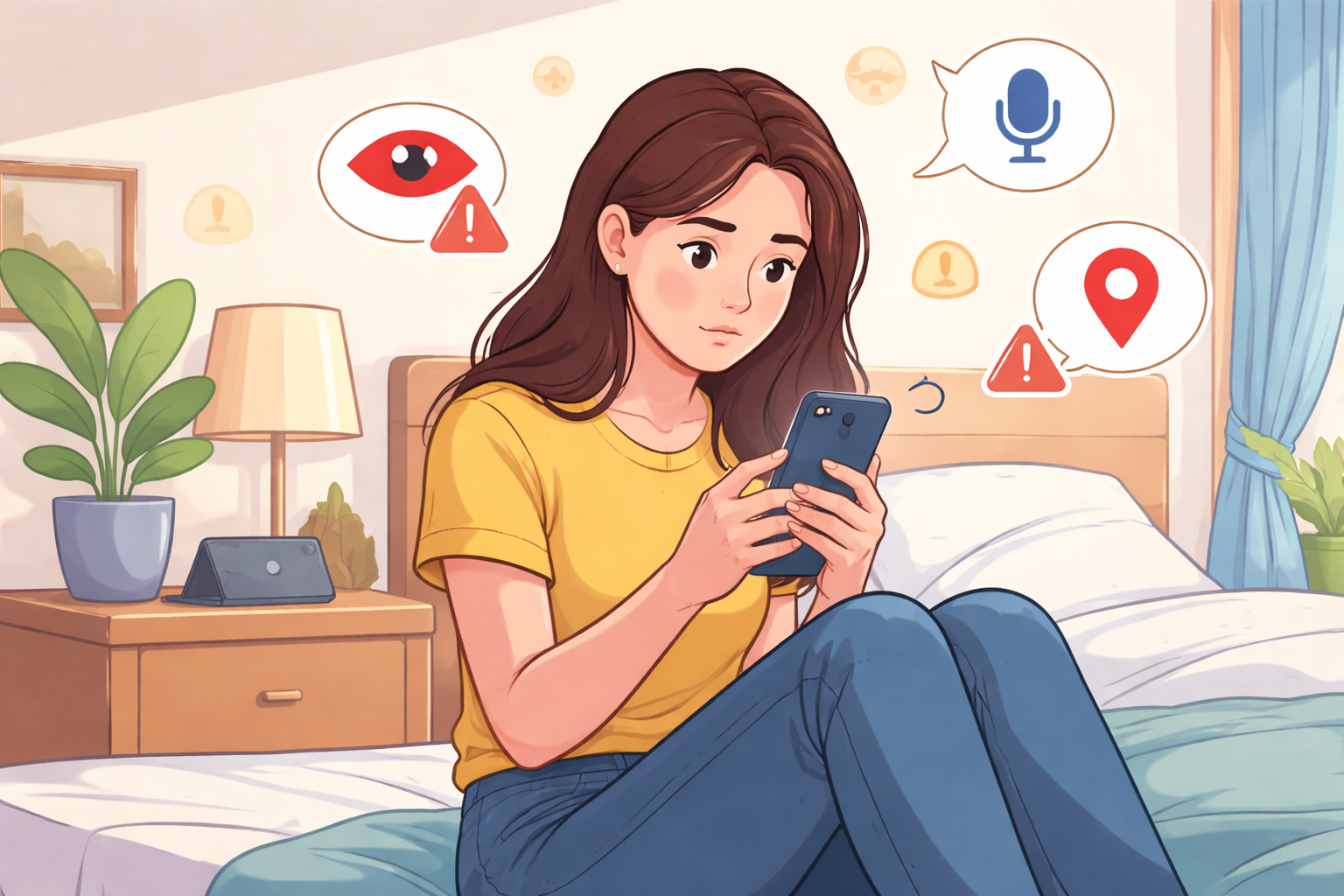
Your smartphone is always within reach. It tracks your steps, stores private conversations, manages passwords, and knows where you’ve been. That convenience comes with a downside—phones are also prime targets for tracking, surveillance apps, and invasive data collection.
If you’ve ever wondered whether your phone might be spying on you, you’re not being paranoid. Unauthorized monitoring can happen through malicious apps, excessive permissions, unsecured networks, or outdated software. Understanding the warning signs is the first step toward protecting your digital privacy.
Below are seven clear signs your phone may be compromised, why they happen, and what you can do to secure your device.
Why Phone Privacy Matters More Than Ever
Modern smartphones constantly exchange data. Location services, microphones, cameras, and background apps all create opportunities for misuse when controls are ignored or exploited.
Phone spying doesn’t always involve a hacker in a hoodie. It can stem from:
- Malicious apps disguised as utilities
- Excessive app permissions
- Unsecured public Wi-Fi
- Outdated operating systems
- Aggressive data-harvesting software
Knowing what to look for helps you stop privacy issues before they escalate.
Learn more: Public Wi-Fi vs. Mobile Data: Which One Is Safer?
1. Sudden Battery Drain You Can’t Explain
One of the most common signs of phone spying is abnormal battery drain. If your phone dies much faster than usual—even when you’re barely using it—something may be running constantly in the background.
Spyware apps often stay active 24/7, recording audio, tracking GPS location, or transmitting data to remote servers. These processes consume power continuously.
What to check
Open your battery usage settings and review which apps are using the most energy. Be cautious if you see:
- Unknown apps
- Apps using power while “inactive”
- System processes behaving abnormally
Restarting your phone in safe mode can help confirm the issue. If battery life improves, a third-party app is likely the cause.
2. Unusual Mobile Data Usage
Unexpected spikes in mobile data usage are another red flag. Spyware frequently uploads data—photos, messages, audio logs—without your knowledge.
If you haven’t changed your browsing habits but your data usage has increased significantly, your phone could be transmitting information in the background.
How to investigate
Check your data usage breakdown in settings. Look for:
- Apps consuming large amounts of background data
- Unknown services using mobile data
- Data usage during hours you weren’t active
Reducing unnecessary data access and disabling background data for suspicious apps can immediately limit exposure.
3. Your Phone Feels Hot While Idle
Phones naturally warm up during heavy use, but persistent overheating while idle is a warning sign. Continuous background activity—like recording, tracking, or data transfers—keeps the processor running nonstop.
If your phone feels hot in your pocket or while sitting untouched, review running apps and system activity. Overheating combined with battery drain often points to hidden processes.
4. Apps You Don’t Remember Installing
If unfamiliar apps appear on your device, take it seriously. Spyware often enters phones through:
- Fake system updates
- Shady third-party downloads
- Compromised websites
- Unsecured Wi-Fi networks
These apps may disguise themselves with generic names or icons to avoid attention.
What to do
Audit your app list regularly and uninstall anything you don’t recognize. Pay close attention to permission requests—apps asking for microphone, camera, or contact access without clear purpose should raise concern.
5. Camera or Microphone Activates on Its Own
Unexpected camera or microphone activity is one of the most unsettling indicators of phone surveillance. Modern operating systems provide indicators when these sensors are active.
If you notice your camera or microphone activating when you’re not using an app that requires them, review permissions immediately.
Reduce risk by:
- Revoking camera and microphone access for unnecessary apps
- Using system privacy dashboards to monitor sensor usage
- Keeping your OS updated with the latest security patches
6. Sluggish Performance and Random Glitches
Spyware doesn’t just invade privacy—it slows your phone down. Common symptoms include:
- Frequent freezing or lag
- Apps crashing unexpectedly
- Random restarts
- Unresponsive touch input
These issues occur because spyware consumes processing power, memory, and storage.
How to respond
Run a full security scan using reputable mobile security software. Clear cached data and remove suspicious apps. If performance issues persist, backing up your data and performing a factory reset is often the most effective solution.
7. Strange Messages or Notifications
Receiving odd text messages, unfamiliar push notifications, or messages with random symbols can signal remote command activity or phishing attempts.
Some spyware relies on SMS commands to operate, while others use deceptive notifications to trick users into clicking malicious links.
Stay safe by:
- Avoiding links from unknown senders
- Enabling spam and phishing filters
- Blocking suspicious numbers immediately
What to Do If You Think Your Phone Is Being Monitored
If several of these warning signs apply to your device, act quickly.
Immediate steps to take
- Disconnect from Wi-Fi and mobile data
- Run a full malware scan
- Review app permissions carefully
- Remove suspicious or unnecessary apps
- Back up essential data
- Perform a factory reset if needed
- Change passwords and enable two-factor authentication
Taking control early can prevent long-term data exposure.
How to Reduce Phone Spying Risk Going Forward
Long-term phone security is about habits, not just fixes.
Smart privacy practices
- Only install apps from trusted app stores
- Keep your operating system updated
- Limit app permissions to essentials
- Avoid public Wi-Fi without a VPN
- Lock your phone with strong authentication
Phones are powerful tools—but they should work for you, not against you.
Final Thoughts: Awareness Is Your Best Defense
Phone spying doesn’t always announce itself. It often hides behind small changes—battery drain, overheating, data spikes, or performance issues that feel easy to dismiss.
Staying informed, reviewing settings regularly, and taking quick action when something feels off can make a major difference. Your phone holds your private life. Protecting it is no longer optional—it’s essential.
Related Posts
 Broadband Deals
Broadband Installation
Broadband Deals
Broadband Installation
CenturyLink in Farmington: A Complete Guide for Local Users
Explore CenturyLink Farmington plans, pricing, installation, performance, and expert tips to choose the best home internet service for your needs.
 Technology
Wifi
mobile phone plans
Technology
Wifi
mobile phone plans
What Is a Mobile Hotspot and How Does It Work?
A mobile hotspot is a portable feature or device that converts a cellular data connection (like 4G LTE or 5G) into a private Wi-Fi network
 Broadband Deals
cable deal
Broadband Deals
cable deal
Xfinity Cable Package Deals That Actually Deliver Value
Discover the best Xfinity cable package deals, compare internet and TV bundles, understand pricing, and choose the right plan for your home and budget.
 Broadband Deals
What Is TDS Internet and Is It Right for Your Home?
Learn what TDS Internet is, how it works, available plans, pricing, speeds, benefits, and how it compares with other internet providers.
 Internet Bundles
Bundle Internet, TV, and Phone Without Overpaying
Learn how to bundle internet, TV, and phone services for the best value. Compare plans, avoid hidden fees, and choose the right package for your home.