Metro by T-Mobile Add-Ons Explained: Hotspot, International Calling & More

Our mobile phones are no longer just communication tools — they’re our workspace, entertainment center, navigation system, and daily connection to family and clients. MetroPCS, now fully branded as Metro by T-Mobile, continues to evolve its plans and add-ons to match modern mobile usage.
Metro by T-Mobile offers flexible add-ons designed to expand your plan capabilities — whether that means more hotspot data, global connectivity, or extra protection for your device.
In this guide, we’ll break down Metro add-ons, who they’re best for, and how to choose the right combination based on how people actually use phones in 2026.
Why Add-Ons Matter for Mobile Users
Customizing Your Mobile Experience
Base plans today already include strong value — unlimited talk, text, and high-speed 5G access. But add-ons allow users to fine-tune performance and functionality without upgrading to a higher-priced base plan.
Cost Control vs Overages
Instead of paying unexpected fees, add-ons allow predictable monthly costs. This is especially useful for:
Remote workers
Travelers
Heavy streaming users
Small business owners using mobile as primary internet backup
Overview of Metro by T-Mobile Plans (2026 Update)
Core Features of Most Current Plans
Most modern Metro plans include:
Nationwide 5G / 5G Ultra Capacity where available
Unlimited talk & text
High-speed data with network management during congestion
Spam / scam filtering tools
App-based account management
What’s Usually Not Included (Requires Add-Ons)
High-cap hotspot allocations
Expanded international calling packages
Device insurance tiers
Temporary high-speed data boosts
Metro Add-Ons Comparison Table (2026)
| Add-On Type | What It Does | Best For | Typical Monthly Cost Range |
|---|---|---|---|
| Mobile Hotspot Data | Adds dedicated hotspot data bucket | Remote work, travel, backup home internet | $5 – $30 |
| International Calling | Adds global calling/text bundles | Families abroad, international business | $5 – $20 |
| Data Top-Up | Adds extra high-speed data mid-cycle | Heavy streaming or gaming months | $5 – $20 |
| Device Protection | Covers damage, loss, or theft | New device owners | $9 – $16 |
| Scam Block / Security | Advanced spam filtering + ID | Seniors, business lines | Often Included or Low Cost |
| Entertainment Perks (Plan Dependent) | Streaming or partner app perks | Heavy media users | Usually Included in higher tiers |
Metro Mobile Hotspot Add-On
What is Mobile Hotspot?
Hotspot lets your phone act as a portable router, sharing cellular data with:
Laptops
Tablets
Smart TVs
Secondary phones
2026 Usage Reality
Hotspot is now commonly used for:
Remote work backup internet
Emergency connectivity during outages
Travel productivity setups
Activation
Users can activate through:
Metro app
Online account dashboard
Retail store
Metro International Calling Add-On
Coverage Updates
Most current bundles focus on:
Mexico
Canada
Latin America
Select Europe and Asia destinations
Who Benefits Most
Families with overseas relatives
Outsourced business teams
Frequent travelers
Music & Streaming Benefits (Plan Dependent)
Older “zero rating” music programs have largely transitioned into plan-bundled perks instead of standalone add-ons.
Today you’re more likely to see:
Bundled streaming subscriptions
Promotional partner services
Data-optimized streaming modes
Other Metro Add-Ons Worth Considering
Device Protection Plans
Coverage typically includes:
Screen damage
Liquid damage
Mechanical failure
Loss / theft (higher tiers)
Data Top-Ups
Ideal for:
Travel months
Heavy gaming releases
Major streaming events
Security & Scam Protection
Now often AI-assisted and updated in real time.
Managing Metro Add-Ons in 2026
Metro App (Primary Method)
Most users manage everything via the app:
Add or remove features
Track hotspot usage
Pay bills
Change plans instantly
Retail & Website
Still available for:
Device upgrades
Plan consultations
Business line setup
Comparing Metro with Other Mobile Providers
Metro remains competitive because of:
Lower prepaid cost structure
T-Mobile network backbone
No annual contracts
Flexible feature add-ons
For deeper comparison, you can review:
Who Should Consider Metro Add-Ons?
Frequent Travelers
International bundles prevent expensive roaming charges.
Remote Workers & Students
Hotspot add-ons create instant workspaces anywhere.
Entertainment-First Users
Streaming perks and data boosts support heavy media consumption.
Tips to Maximize Metro Add-Ons
Monitor Usage Monthly
Use the app dashboard to avoid unnecessary upgrades.
Stack Add-Ons Strategically
Combine hotspot + international + protection only if you truly use them.
Final Thoughts
Metro by T-Mobile’s modern add-on ecosystem is built around flexibility. Instead of forcing users into expensive premium tiers, Metro allows customization at a micro level — which is ideal for prepaid and cost-conscious users.
If used strategically, add-ons can deliver enterprise-level mobile functionality at consumer pricing.
To explore plans directly:
Learn more about MetroPCS
Conclusion
Add-ons may seem optional, but they often define how powerful your mobile plan really is. Understanding how Metro add-ons work helps you build a plan around your real-world usage — not just marketing tiers.
Related Posts
 Broadband Deals
Broadband Installation
Broadband Deals
Broadband Installation
CenturyLink in Farmington: A Complete Guide for Local Users
Explore CenturyLink Farmington plans, pricing, installation, performance, and expert tips to choose the best home internet service for your needs.
 Technology
Wifi
mobile phone plans
Technology
Wifi
mobile phone plans
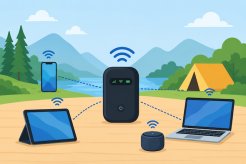
What Is a Mobile Hotspot and How Does It Work?
A mobile hotspot is a portable feature or device that converts a cellular data connection (like 4G LTE or 5G) into a private Wi-Fi network
 Broadband Deals
cable deal
Broadband Deals
cable deal
Xfinity Cable Package Deals That Actually Deliver Value
Discover the best Xfinity cable package deals, compare internet and TV bundles, understand pricing, and choose the right plan for your home and budget.
 Broadband Deals
What Is TDS Internet and Is It Right for Your Home?
Learn what TDS Internet is, how it works, available plans, pricing, speeds, benefits, and how it compares with other internet providers.
 Internet Bundles
Bundle Internet, TV, and Phone Without Overpaying
Learn how to bundle internet, TV, and phone services for the best value. Compare plans, avoid hidden fees, and choose the right package for your home.