Public Wi-Fi vs. Mobile Data: Which One Is Safer?
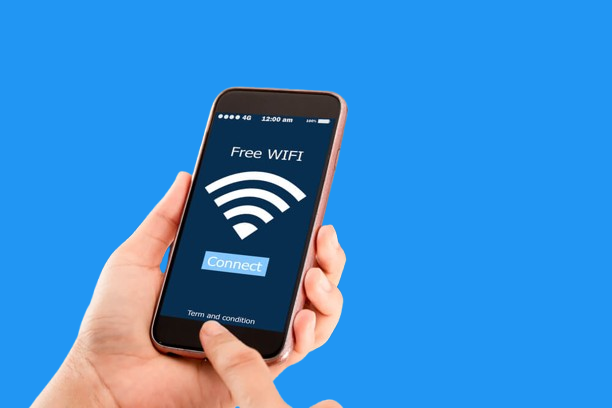
We’ve all been there—you’re at a coffee shop, the airport, or a hotel, and your phone automatically latches onto the free Wi-Fi. It feels convenient, but is it safe? Many people don’t realize that connecting to public Wi-Fi can expose them to risks, while mobile data often provides a more secure alternative.
Let’s dig into the differences and see when you should choose one over the other.
The Risks of Public Wi-Fi
Public Wi-Fi networks are open by design. That means anyone nearby can connect—and sometimes, hackers are lurking in the same space. The risks include:
- Data interception: Hackers can “listen in” on your traffic if the network isn’t encrypted.
- Fake hotspots: Cybercriminals set up Wi-Fi networks with names like “Free Airport Wi-Fi” to trick users.
- Password theft: Logging into email, banking apps, or work accounts over insecure Wi-Fi can put your credentials at risk.
Why Mobile Data Is Safer
Cellular networks, especially 4G and 5G, are generally more secure because:
- They use encryption by default, making it harder for attackers to snoop.
- Access is tied to your SIM card and carrier, not an open network.
- Connections are direct to your provider’s towers, reducing the chance of “man-in-the-middle” attacks.
Also Read: Best Internet Plans for Seniors in the U.S.: Affordable, Reliable, and Senior-Friendly
In short, mobile data is much harder for hackers to exploit compared to public Wi-Fi.
When You Can Safely Use Public Wi-Fi
Not all public Wi-Fi is unsafe. If you take precautions, you can minimize the risks:
- Use a VPN: A Virtual Private Network encrypts your traffic, making it unreadable to outsiders.
- Stick to HTTPS websites: Look for the padlock symbol in your browser before entering personal information.
- Avoid sensitive tasks: Don’t log into banking or work accounts on open Wi-Fi.
When Mobile Data Is the Smarter Choice
- Banking and shopping: Always use mobile data for financial transactions.
- Business work: If you’re handling company emails or sensitive files, avoid public Wi-Fi unless you have a VPN.
- Traveling abroad: Some hotel and airport Wi-Fi systems are outdated and poorly secured—mobile data is safer.
Also Read: What Not to Do And Internet Safety Tips To Protect You Online
Final Thoughts
Public Wi-Fi is convenient, but it’s not always safe. Mobile data offers stronger built-in security, making it a better choice for anything sensitive. That doesn’t mean you should never use Wi-Fi—just be cautious, especially on public networks.
The golden rule:
Use Wi-Fi for casual browsing and downloads, but switch to mobile data for anything private or important
Related Posts
 Broadband Deals
cheap internet deals
cheap internet plans
Broadband Deals
cheap internet deals
cheap internet plans
Portland ISP Providers: How to Find the Best Internet Service
Compare Portland ISP providers, internet speeds, pricing, and availability. Learn how to choose the best internet service for your home or business.
 Internet Bundles
AT&T Business Internet: Plans, Speeds & Benefits Explained
Learn everything about AT&T Business Internet, including plans, speeds, fiber availability, pricing, features, equipment, and how to choose the best option.
 Broadband Deals
Internet Bundles
Broadband Deals
Internet Bundles
Comcast TV and Internet Bundles: Are They Still Worth It
Explore Comcast TV and internet bundles in 2026. Compare benefits, costs, package options, and discover whether a bundled plan fits your needs.
 cheap internet offers
How to Manage Dish Network Internet Data
Learn how to monitor and manage Dish Network Internet data usage with simple tools, smart tips, and optimization strategies to avoid overages.
 cheap internet offers
Broadband Deals
cheap internet offers
Broadband Deals
How to Decode Your Internet Bill and Spot Hidden Fees
Learn how to read your internet bill, identify hidden fees, challenge unnecessary charges, and lower your monthly internet costs with confidence.