Stop Overpaying: Get More From Your Internet Plan

A reliable internet connection is essential for work, communication, entertainment, and daily tasks, but paying for it doesn’t have to damage your monthly budget. Many people assume that lowering expenses requires sacrificing quality or cutting out necessities. In reality, improving financial stability often starts with optimizing what you already pay for and making sure your internet plan delivers the full value it should.
For many households, internet costs quietly increase over time—often because of outdated equipment, unnecessary upgrades, or overlooked fees. When you understand how your plan is structured, what you truly need, and how your provider operates, you can unlock multiple opportunities to save money or upgrade your experience without increasing your monthly bill. Even essential services such as internet access can be optimized to reduce cost and improve performance.
Whether you’re trying to lower monthly expenses or maximize the value of your current plan, the strategies below can help you take control of your connection, avoid unnecessary charges, and enjoy a smoother online experience.
Understanding Where Internet Costs Really Come From
Internet service providers are known for publishing heavily marketed prices that often don’t reflect what shows up on your bill. This mismatch isn’t always intentional, but many users discover fees only after signing a contract. While some costs—such as taxes and required installation charges—are unavoidable, others can be minimized or eliminated with the right approach.
One of the most overlooked areas is equipment rental. Monthly modem and router rental fees can add up to significant long-term costs, and many users repeat this payment for years without realizing they could keep more money in their pocket.
Renting Equipment Is More Expensive Than You Think
Many plans include a monthly charge of $5 to $20 for renting a modem and router. Providers often justify this fee by highlighting convenience and easy replacements, but over time, rental charges frequently exceed the cost of buying your own equipment outright.
Because these charges appear in the fine print, many customers do not realize how much they are spending over the course of a year. Providers may also adjust rental pricing as part of promotional terms, meaning your cost can rise unexpectedly when introductory periods end. If lowering your bill is a priority, equipment rental is one of the first areas to review.
Why Owning Your Modem and Router Pays Off
Buying your own modem and router offers two key benefits: long-term savings and improved performance. When you own your equipment, you remove recurring monthly rental charges and gain full control over the quality of the hardware in your home.
Outdated devices can significantly limit your connection. This is especially true in households with multiple streaming devices or remote workers. Slow, obsolete hardware can bottleneck your bandwidth—even if your provider offers high-speed service. Understanding how modem and router performance impacts your connection can help you upgrade strategically and enjoy faster, more consistent speeds.
If you currently rent equipment, remember that the provider is responsible for ensuring the modem and router they supply match your plan. Because outdated devices can affect an entire service area, providers often upgrade equipment for free when you request it. If you prefer to stay with rented hardware, start by asking for a newer model before considering a purchase.
Matching Your Internet Plan to Your Real Needs
Many people overpay for internet speeds they do not actually use. Providers often promote connection tiers over 100 Mbps, but only a fraction of households truly require those speeds. Before downgrading or upgrading, take a realistic look at your online activity.
Speed needs vary significantly depending on how your household uses the internet. For example:
- 10–15 Mbps: Basic browsing, email, and light social media use.
- 15–25 Mbps: Standard browsing with moderate video streaming.
- 25–50 Mbps: Heavy streaming, video conferencing, or large file transfers.
These speed guidelines already exceed the needs of many households. The concept of a high-speed connection being mandatory is often misleading. What matters most is stability and bandwidth distribution—not simply raw speed.
Before adjusting your plan, evaluate whether your current connection is truly necessary or if a lower tier would offer similar performance at a more affordable rate.
Considering Bandwidth Before You Downgrade
While speed is important, bandwidth often plays a more critical role in user experience. Bandwidth impacts how data moves across your network when multiple devices are active at the same time. If your household includes remote workers, gamers, or multiple streamers, downgrading your plan without evaluating bandwidth could result in slower performance during peak usage periods.
If several users rely on video conferencing or HD streaming, switching to a lower plan may cause buffering or quality drops. Before making a change, consult your ISP to determine how bandwidth allocation will be affected. Some providers offer mid-tier plans that reduce speed but maintain solid multi-device support, allowing you to save money without sacrificing usability.
Finding Affordable Internet Through Low-Income Programs
Many major ISPs offer special low-cost plans designed for households with limited financial resources. Companies such as Comcast’s Xfinity, Spectrum, AT&T, and Cox provide essential internet access for under $15 per month. This initiative ensures reliable connectivity remains accessible, especially for families who rely on the internet for education, work, and essential communication.
For example:
- Xfinity Internet Essentials: $9.95/month for speeds up to 15 Mbps
- Spectrum Internet Assistance: $14.99/month for speeds up to 30 Mbps
- AT&T Access: $10/month for up to 10 Mbps
- Cox Low-Cost Internet: $9.95/month for up to 15 Mbps
Eligibility requirements vary, so contacting the provider directly is the best approach. These programs can significantly lighten monthly expenses, especially if you are looking for practical and sustainable ways to stay connected.
Bundling Services for Additional Savings
If you use or plan to use multiple services such as cable TV or home phone, bundling them with your internet plan can result in substantial discounts. While bundling is not ideal for cord-cutters, it can reduce the overall cost if you already use these services or need them for your household.
The key is evaluating whether bundled services genuinely add value. If you rarely watch cable or do not use a home phone, bundling may simply increase your monthly bill. However, if you actively use these services, bundling often provides a lower combined rate than paying for each individually.
Using Negotiation to Lower Your Bill
Most customers are unaware that internet prices are negotiable. Providers typically allow price flexibility because customer retention is essential in a competitive market. If your bill has increased or you feel the service quality doesn’t match the cost, calling your ISP may lead to significant savings.
When negotiating:
- State that the current price is too high.
- Ask whether new promotions or loyalty discounts are available.
- Request to speak with a supervisor if the initial representative cannot assist.
- Mention competitor pricing if available in your area.
Many customers secure discounted rates simply by expressing willingness to switch to another provider. If alternatives exist in your neighborhood, this negotiating tactic becomes even more effective.
Making the Most of Promotional Pricing
Promotional pricing can be frustrating, especially when rates spike after an introductory period ends. However, promotions can also be a powerful way to save money if you are willing to switch providers periodically.
Promotional periods typically last 12–24 months. When they end, the bill often increases substantially. By monitoring the expiration date and being willing to change providers, you can restart a new promotional period and maintain a lower price.
You can also call your current provider before the promotion expires. Many ISPs will extend the discount or match competitor pricing to keep you as a customer. The key is staying proactive rather than waiting for the bill to increase.
Final Thoughts: Smart Internet Management Leads to Real Savings
Dependable internet access is essential—but overspending isn’t. By evaluating your plan, reviewing equipment costs, understanding your true speed needs, and taking advantage of available programs, you can significantly reduce your bill or improve your service quality.
If you want even more ways to reduce monthly expenses or explore budget-friendly connectivity, you can review additional insights on cheap internet options directly through your provider’s resources.
Related Posts
 Internet Bundles
Broadband Installation
Wifi
cheap internet deals
Internet Bundles
Broadband Installation
Wifi
cheap internet deals
Best DIRECTV Internet Services Provider for Your Home
Discover the best DIRECTV internet services, compare providers, pricing, speeds, bundles, and expert tips to choose the right home internet solution.
 Technology
Wifi
Technology
Wifi
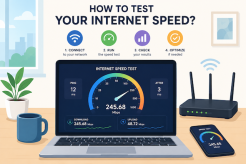
How To Test Your Internet Speed?
Learn how to test your internet speed accurately, understand speed test results, fix slow connections, and improve your internet performance.
 cheap internet deals
Best Free & Legal Movie Streaming Sites in 2026
Discover the best free and legal movie streaming sites in 2026, including Tubi, Pluto TV, Plex, Hoopla, Kanopy, and more to watch movies online for free.
 Technology
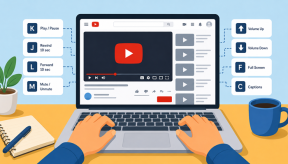
YouTube Key Commands That Make Watching Videos Faster
Learn the best YouTube key commands to navigate videos faster, improve productivity, control playback easily, and enjoy a smoother streaming experience.
 Regulations
Technology
Regulations
Technology
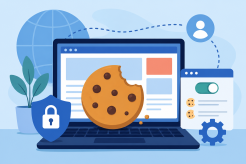
What is An Internet Cookie?
Learn what internet cookies are, how cookies work, the different types of cookies, their benefits, privacy concerns, and how to manage them safely online.