Router Problems or Lag Switch? Fix Sudden Gaming Spikes
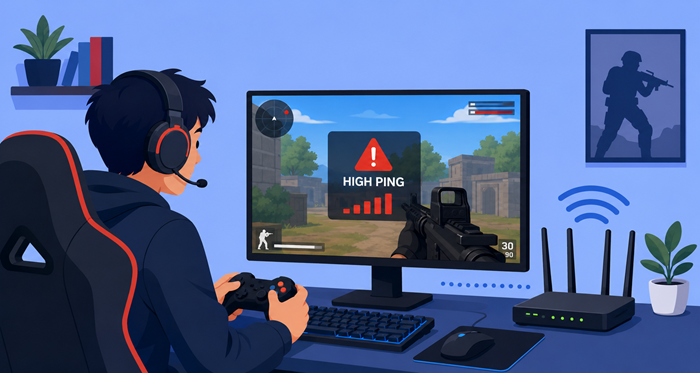
Online gaming depends on consistency. One minute your connection feels smooth, and the next your character freezes, teleports, or gets eliminated because of massive ping jumps. When those sudden interruptions happen, most players immediately wonder whether their router is failing or someone is intentionally manipulating the match.
Understanding the difference between hardware issues and suspicious connection interference can save you hours of frustration. In this guide, we’ll break down how to identify the real cause of sudden in-game latency spikes, how to test your setup properly, and what you can do to stabilize your connection for smoother gameplay.
What Causes Sudden In-Game Latency Spikes?
Latency spikes happen when data packets between your device and the game server suddenly slow down or get interrupted. Unlike constant lag, spikes appear unpredictably and often disappear within seconds.
Several factors can trigger these interruptions:
Weak router performance
Overloaded home networks
ISP congestion
Wi-Fi interference
Faulty cables
Server instability
Intentional network manipulation in multiplayer matches
The tricky part is that many of these symptoms look almost identical during gameplay. That’s why proper troubleshooting matters.
Signs Your Router May Be Failing
Routers do not last forever. Over time, internal components wear out, firmware becomes unstable, and overheating can affect performance.
Here are the most common warning signs.
Random Disconnects Across Multiple Devices
If your gaming console, phone, smart TV, and laptop all disconnect at the same time, your router may be struggling to maintain stable connections.
This usually points to hardware instability rather than gaming-specific issues.
Overheating During Long Gaming Sessions
A router that becomes extremely hot after several hours of gaming can start throttling performance internally. Heat buildup often causes packet loss and unstable connectivity.
Try placing the router in a more open area with better airflow.
Delayed Responses in Every Online Activity
If websites load slowly, video calls freeze, and streaming buffers regularly, the problem likely extends beyond gaming servers.
This broader slowdown usually indicates router wear or ISP-related congestion.
Frequent Need for Reboots
Needing to restart your router every few days to restore performance is another major warning sign. Healthy routers should operate continuously without frequent resets.
If reboots temporarily solve the issue, hardware degradation may be the root cause.
Could You Actually Be Getting Lag Switched?
A lag switch is a method used to intentionally interrupt network traffic during online multiplayer games. Some players abuse this tactic to freeze opponents or manipulate synchronization between players and servers.
If you are unfamiliar with how these exploits work, this detailed guide to a network lag switch explains the basics and common signs.
While modern competitive games have stronger anti-cheat systems, suspicious lag patterns can still occur in peer-to-peer environments or poorly moderated matches.
Signs That Point Toward a Lag Switch
Certain behaviors feel more suspicious than ordinary connection issues.
Lag Appears Only Around Specific Players
If matches run smoothly until encountering a certain opponent, that may indicate intentional interference rather than a home network issue.
Players Teleport or Freeze Selectively
Standard connection problems usually affect the entire match evenly. But if only one player appears frozen while others move normally, something unusual may be happening.
Sudden Match Recovery After Key Moments
Some manipulated connections recover instantly after a player secures a kill, objective, or advantage. That pattern is often considered suspicious.
Still, it’s important not to jump to conclusions immediately. Many server synchronization issues can mimic these behaviors.
How to Test Whether Your Router Is the Problem
Before replacing equipment or blaming other players, run a few simple tests.
Run a Wired Connection Test
Connect your gaming device directly to the router using Ethernet.
If gameplay immediately improves, the problem likely comes from wireless interference rather than the router itself.
Test Multiple Games
If spikes occur in every online game, your local network may be responsible.
If only one title experiences issues, the problem may involve that game’s servers.
Monitor Packet Loss
Most gaming platforms and PCs allow packet loss testing through built-in network diagnostics or third-party tools.
Consistent packet loss often indicates:
Router instability
Damaged Ethernet cables
ISP congestion
Signal interference
Check Router Firmware Updates
Outdated firmware can create compatibility problems with newer devices and online services.
Visit your router manufacturer’s support page and install the latest firmware version available.
Wi-Fi Interference Is More Common Than Most Gamers Think
Many players assume they need faster connections when the real problem is unstable wireless communication.
Household devices that commonly interfere with Wi-Fi include:
Microwave ovens
Bluetooth accessories
Wireless speakers
Smart home hubs
Neighboring routers
Even apartment layouts can affect wireless reliability.
For competitive gaming, Ethernet remains the most stable option.
When Your Internet Plan Becomes the Bottleneck
Not all internet plans handle gaming traffic equally well. While gaming does not require extremely high bandwidth, consistency matters a lot.
Choosing one of the best internet plans for gamers can significantly reduce interruptions caused by congestion and unstable upload speeds.
A common misunderstanding is focusing only on download speed while ignoring latency performance.
Why Stable Speeds Matter More Than Fast Speeds
Many households pay for high-speed plans but still experience online gaming problems because of unstable routing or overloaded local networks.
Understanding what qualifies as good internet speed for gaming helps players focus on real-world gaming performance instead of marketing numbers.
Consistency, low jitter, and stable routing often matter more than peak download rates.
Common ISP-Related Gaming Issues
Sometimes your router is perfectly healthy, but your internet provider struggles during high-traffic hours.
Popular services like tmobile home internet may experience congestion in crowded areas because wireless towers share bandwidth across many users.
Cable providers such as xfinity can also experience evening slowdowns when neighborhood demand increases.
Satellite-based services like starlink internet may encounter temporary interruptions due to weather conditions or satellite handoffs.
Meanwhile, fiber-based options including at&t internet generally offer more stable latency because of lower congestion and direct infrastructure routing.
If your issues mainly happen during evening hours, your ISP may be contributing to the problem.
Advanced Troubleshooting Steps
If basic testing doesn’t solve the issue, move on to deeper diagnostics.
Use Ping Monitoring Tools
Applications like PingPlotter or WinMTR help identify exactly where spikes occur along your connection route.
This can reveal whether:
Your router is dropping packets
Your ISP is congested
The game server itself is unstable
Replace Ethernet Cables
Damaged or aging Ethernet cables can create intermittent packet loss that feels identical to router failure.
Testing with a new Cat6 cable is inexpensive and surprisingly effective.
Factory Reset the Router
Sometimes corrupted settings create long-term instability.
Before resetting:
Save your current settings
Update firmware
Perform a factory reset
Reconfigure the network manually
Avoid restoring old backup settings immediately, since corrupted configurations can return.
Disable Background Network Traffic
Cloud backups, downloads, streaming apps, and smart devices can silently consume bandwidth during gameplay.
Check which devices are active during gaming sessions.
Don’t Ignore Toxic Multiplayer Behavior
Occasionally, suspicious connection manipulation becomes part of broader toxic gaming behavior.
Players who intentionally disrupt matches may also engage in harassment or verbal abuse. If you encounter repeated hostility while gaming online, learning how to handle game bullying can help protect your experience and reduce unnecessary stress.
Healthy multiplayer communities rely on fair play and proper moderation.
When It’s Time to Replace Your Router
Sometimes troubleshooting reveals that the router simply cannot keep up anymore.
You should seriously consider replacement if:
The router is over five years old
Firmware updates stopped years ago
Random disconnects continue after resets
Ethernet tests still show instability
Multiple devices experience failures daily
Modern routers offer:
Better heat management
Improved traffic prioritization
Stronger wireless stability
Lower latency handling
More reliable firmware support
Upgrading outdated hardware often provides immediate improvement.
How to Prevent Future Gaming Latency Problems
Once your connection stabilizes, keeping it reliable becomes much easier.
Best Practices for Stable Gaming
Use wired Ethernet whenever possible
Keep firmware updated
Restart networking equipment monthly
Avoid overcrowded Wi-Fi channels
Limit simultaneous heavy downloads
Place routers in open, elevated spaces
Replace aging hardware proactively
Working with the best Internet Providers can also improve long-term gaming stability if your current service consistently struggles during peak hours.
Final Thoughts
Sudden in-game latency spikes can feel impossible to diagnose because so many different issues produce similar symptoms. Sometimes the cause is a failing router. Other times it’s wireless interference, ISP congestion, overloaded hardware, or even suspicious player behavior.
The key is approaching the problem methodically instead of guessing. Start with wired testing, monitor packet loss carefully, and evaluate whether the issue affects your entire network or only specific games.
Most gaming connection problems become much easier to solve once you isolate where the instability actually begins.
FAQs
How do I know if my router is dying?
Frequent disconnects, overheating, and needing constant reboots are common warning signs.
Can a lag switch still work in modern online games?
Some older or peer-to-peer games remain vulnerable to connection manipulation techniques.
Does Ethernet reduce gaming latency spikes?
Yes, wired connections are usually more stable than Wi-Fi for online gaming.
Can ISP congestion cause random lag at night?
Yes, heavy neighborhood traffic during peak hours can increase latency and packet loss.
Should I replace a router older than five years?
Yes. Older routers often struggle with modern gaming traffic and security updates.
Related Posts
 cheap internet plans
mobile phone plans
Broadband Deals
cheap internet plans
mobile phone plans
Broadband Deals
Which Internet Providers Offer a Cheap Mobile Plan?
Discover which internet providers offer a cheap mobile plan when you bundle services. Compare savings, features, and the best options for your budget.
 Broadband Deals
Technology
Broadband Deals
Technology
What Is 5G and Why It Matters for Businesses and Everyday Life
Learn what 5G is, how it works, and why it matters for businesses and consumers. Discover its impact on speed, IoT, automation, and future connectivity.
 Technology
How to Choose High-Speed Satellite Internet for Your Home
Compare the best high-speed satellite internet providers, their features, coverage, speeds, pricing, and tips to choose the right internet service.
 Broadband Deals
cable deal
Broadband Deals
cable deal
How Spectrum Internet Compares to Xfinity, AT&T & HughesNet
Compare Spectrum Internet with Xfinity, AT&T, and HughesNet based on speed, pricing, reliability, technology, and value to choose the right provider.
 cheap internet deals
Best DSL Internet Providers for Reliable Home Internet
Compare the best DSL internet providers, including AT&T, CenturyLink, and Frontier. Learn about speeds, pricing, pros, and how to choose the right plan.