How To Test Your Internet Speed?
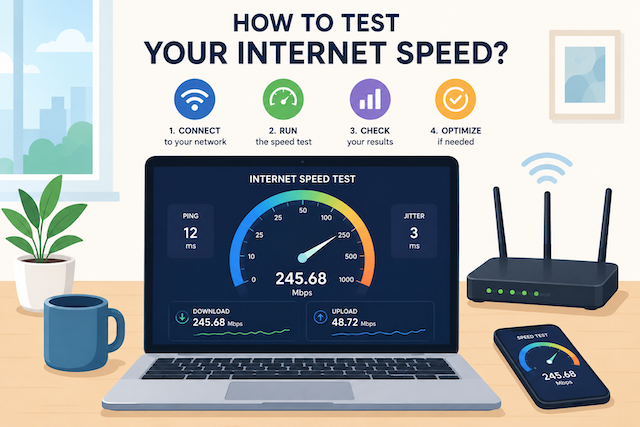
How To Test Your Internet Speed Accurately
A slow internet connection can make everyday online activities frustrating, from buffering videos and interrupted video calls to slow downloads and delayed website loading. If your connection feels slower than usual, the first step is to test your internet speed to see whether you are getting the performance you are paying for.
An internet speed test measures important connection factors such as download speed, upload speed, ping, and latency. These results help determine whether your internet service is performing properly or if there may be issues affecting your connection.
Understanding your internet speed is especially important today because homes and businesses rely on stable connections for streaming, remote work, online gaming, cloud applications, and communication. A quick speed test can help identify whether the problem is your internet provider, your network equipment, or your connected devices.
How Does an Internet Speed Test Work?
An internet speed test works by measuring how quickly data travels between your device and a testing server. When you start a speed test, your browser or app sends data requests to a nearby server. The server then sends data back to your device, and the test measures how long the process takes.
The results are usually displayed in three main areas:
Download Speed
Download speed measures how quickly information is transferred from the internet to your device. This affects activities such as:
- Streaming movies and videos
- Browsing websites
- Downloading files
- Loading applications
- Viewing social media content
A higher download speed means your device can receive information faster, resulting in smoother online experiences.
Upload Speed
Upload speed measures how quickly your device sends data to the internet. This is important for activities such as:
- Video conferencing
- Uploading large files
- Live streaming
- Sending media content
- Cloud backups
Many internet users focus only on download speed, but a strong upload connection is equally important for work-from-home setups and businesses.
Ping and Latency
Ping measures the response time between your device and the testing server. It is usually measured in milliseconds (ms).
A lower ping means your connection responds faster, which is especially important for:
- Online gaming
- Video meetings
- Real-time communication
- Remote access systems
A connection with high download speeds but poor latency can still feel slow during interactive activities.
What Is a Good Internet Speed?
The ideal internet speed depends on how many people use the connection and what activities are performed online.
For basic internet activities such as browsing websites, checking email, and streaming music, a connection around 10 Mbps may be enough for a single user.
However, modern households often have multiple connected devices, including smartphones, smart TVs, laptops, gaming consoles, and security systems. In these cases, a faster connection provides a better experience.
Here are general speed recommendations:
| Internet Activity | Recommended Speed |
|---|---|
| Web browsing and email | 5–10 Mbps |
| HD video streaming | 10–25 Mbps |
| Online gaming | 25 Mbps or higher |
| Video conferencing | 10–25 Mbps |
| Multiple users and devices | 100 Mbps or higher |
| Business operations | 100 Mbps+ depending on usage |
Businesses typically require more reliable connections because multiple employees may use the internet at the same time. Services designed for companies, such as reliable internet plans for business locations, provide higher speeds and better support for daily operations like video meetings, cloud applications, and customer communication.
If your internet provider is not delivering the speeds promised in your plan, running regular speed tests can help you collect information before contacting customer support.
You can also check whether your connection is being limited by your provider by learning how internet throttling affects your connection performance.
How To Test Your Internet Speed
Testing your internet speed is simple and only takes a few minutes. Several reliable tools are available online that can measure your connection performance.
Before running a test, follow these steps for more accurate results:
- Connect your device directly to your router when possible
- Close unnecessary apps and browser tabs
- Pause downloads or streaming services
- Test at different times of the day
- Run multiple tests and compare results
Internet speeds can change depending on network congestion, Wi-Fi signal strength, and the number of connected devices.
Google Internet Speed Test
Google provides a simple built-in speed test that allows users to quickly check their connection without installing additional software.
To use it:
- Open your web browser
- Search for "speed test"
- Click "Run Speed Test"
- Wait for the results to appear
Google's speed test provides basic information about your download speed and connection performance.
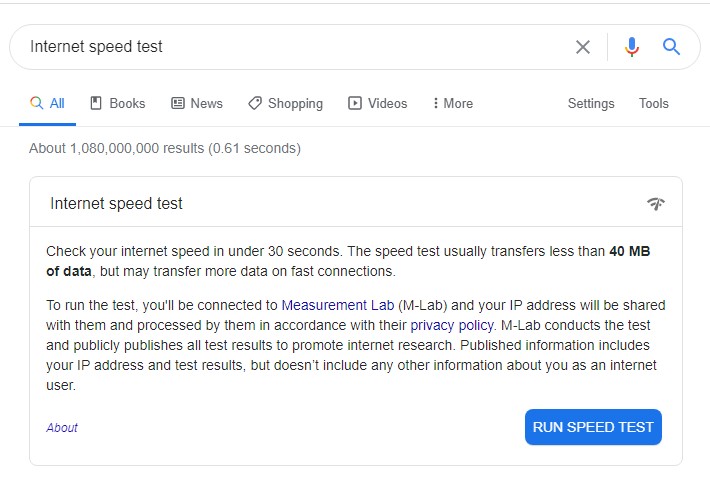
This option works well for users who need a quick check of their internet connection without additional features.
Ookla Speedtest
Speedtest by Ookla is one of the most recognized internet speed testing platforms available today. It provides detailed results, including download speed, upload speed, ping, and connection information.
To run a test:
- Visit Speedtest.net
- Click the start button
- Wait while the tool connects to a testing server
- Review your results
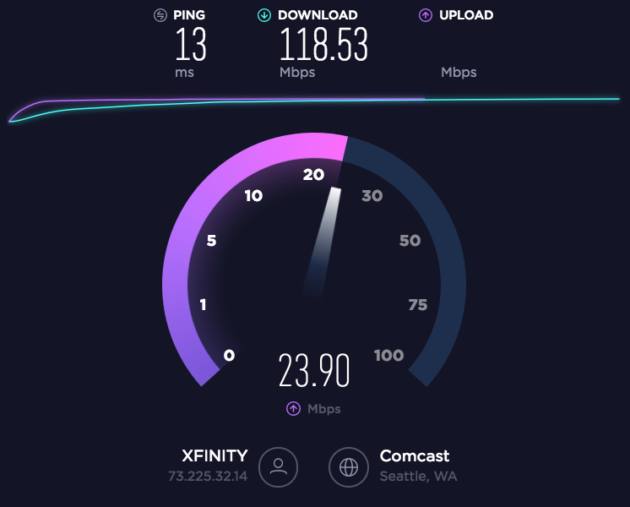
Ookla is useful because it allows users to compare results from different locations and track changes in their internet performance over time.
Fast.com Internet Speed Test
Fast.com is a simple browser-based speed test created by Netflix.
Unlike many other speed testing tools, Fast.com automatically begins testing as soon as you open the website.
Fast.com is especially useful for checking whether your connection can handle streaming services because it focuses primarily on download performance.
CheapInternetServiceProvider-JNA Speed Test Tool
For users looking for another way to measure their connection, CheapInternetServiceProvider-JNA provides its own internet speed testing tool.
To access the tool:
- Visit the website
- Open the navigation menu
- Select Cool Tools
- Choose Speed Test
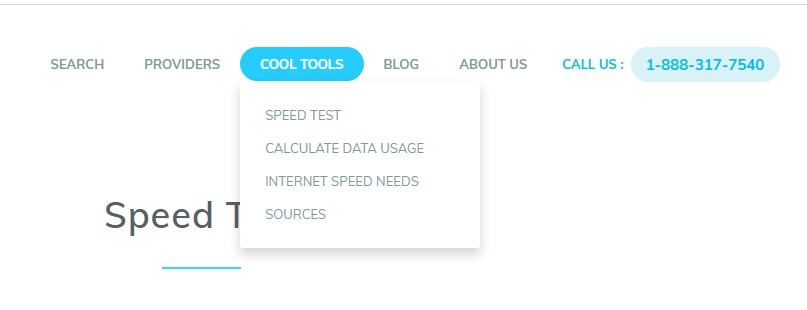
Running a speed test regularly can help you confirm whether your current internet plan matches your actual performance.
If your results are consistently lower than expected, it may be time to review your current internet service or consider upgrading to a faster plan.
How To Get More Accurate Internet Speed Test Results
Running a speed test is simple, but the results can be affected by several factors. A test performed under poor conditions may not show the true performance of your internet connection.
To get the most accurate results, consider the following steps before testing.
Use a Wired Connection When Possible
Wi-Fi is convenient, but it can introduce speed limitations due to distance, walls, interference, and the number of connected devices.
For the most accurate measurement, connect your computer directly to your router using an Ethernet cable. This removes many wireless-related issues and gives you a better idea of your actual internet performance.
Test Multiple Times Throughout the Day
Internet speeds can change depending on network demand. During peak hours, more users may be connected to the same network infrastructure, which can affect performance.
Try testing your connection at different times, including:
- Morning hours
- Afternoon hours
- Evening peak hours
Comparing multiple results gives you a clearer picture of your average internet speed.
Disconnect Unnecessary Devices
Every connected device uses bandwidth. Smartphones, smart TVs, gaming consoles, security cameras, and other smart devices can affect your speed test results.
Before testing, disconnect devices that are not being used or temporarily pause activities such as:
- Video streaming
- Large downloads
- Cloud backups
- Online gaming updates
This ensures the test measures your available connection more accurately.
Why Is My Internet Speed Slower Than Expected?
If your speed test results are much lower than your internet plan promises, several factors may be responsible.
Weak Wi-Fi Signal
A weak wireless signal is one of the most common reasons for slow internet speeds. Your device may be receiving a weaker connection because of distance from the router or physical barriers such as walls and furniture.
Moving your router to a central location can improve coverage and connection stability.
Too Many Connected Devices
Modern homes often have dozens of connected devices using bandwidth at the same time. Even devices running quietly in the background can affect network performance.
Smart home systems, streaming devices, and automatic software updates can consume bandwidth without users realizing it.
Outdated Router Equipment
Your router plays an important role in your internet performance. Older routers may not support newer wireless standards or faster internet plans.
If you recently upgraded your internet service but your equipment is several years old, your router may be limiting your connection speed.
Network Congestion
During busy periods, internet performance may decrease because more users are accessing the network.
This is especially common in areas where many customers share the same network infrastructure.
If your speed consistently drops during specific times, monitor your connection and compare speed test results throughout the day.
Can a Speed Test Show If Your Internet Provider Is Throttling Your Connection?
Yes, regular speed tests can help identify possible signs of internet throttling.
Internet throttling happens when an internet provider intentionally reduces connection speeds for certain activities, services, or users.
For example, you may notice:
- Streaming videos buffering more often
- Downloads becoming slower at certain times
- Speed tests showing lower results than expected
- Performance changes depending on the type of activity
A single speed test cannot always confirm throttling, but repeated tests can help identify unusual patterns.
You can compare results from different speed testing platforms and test your connection while performing different online activities.
For additional troubleshooting, checking ways to identify internet provider throttling issues can help you understand whether your connection is being limited.
How To Improve Your Internet Speed Without Changing Plans
Before upgrading your internet package, there are several ways to improve your current connection.
Restart Your Router
Restarting your router can resolve temporary connection issues and refresh your network connection.
A simple restart can help fix problems caused by:
- Memory issues
- Temporary network errors
- Connection drops
- Performance slowdowns
Place Your Router in a Better Location
Router placement can significantly affect Wi-Fi performance.
For better coverage:
- Keep your router in an open area
- Avoid placing it near large appliances
- Position it away from thick walls
- Place it closer to areas where internet usage is highest
Update Router Firmware
Manufacturers regularly release firmware updates that improve performance, security, and stability.
Check your router settings or manufacturer website to see if updates are available.
Manage Your Connected Devices
Review the devices connected to your network and remove anything unfamiliar.
Some devices may consume large amounts of bandwidth without providing noticeable activity.
Using your router's administration panel, you can often view connected devices and monitor network usage.
When Should You Upgrade Your Internet Plan?
Speed tests can help determine whether your current internet plan meets your needs.
An upgrade may be worth considering if you frequently experience:
- Buffering during streaming
- Dropped video calls
- Slow file uploads
- Lag during online gaming
- Slow performance with multiple users
For households with many devices or businesses with multiple employees, a higher-speed connection can provide better reliability and productivity.
A business environment often requires stronger performance than a typical residential connection because employees may rely on cloud software, communication tools, and large file transfers throughout the day.
Frequently Asked Questions About Internet Speed Tests
How Often Should I Test My Internet Speed?
Testing your internet speed once every few weeks is usually enough for most users. However, you should run a test whenever you notice slower performance, frequent buffering, or connection problems.
Regular testing helps you track whether your internet provider is delivering consistent service.
Why Are My Speed Test Results Different Every Time?
Speed test results can change because of network traffic, Wi-Fi conditions, server location, and the number of devices using your connection.
Small differences between tests are normal. However, consistently low speeds may indicate a problem with your network or internet service.
What Internet Speed Do I Need For Streaming?
For standard HD streaming, around 10 Mbps is typically enough for one device. For 4K streaming and multiple users, a faster connection is recommended.
Homes with multiple streaming devices should consider higher speeds to prevent buffering and interruptions.
Does Running Multiple Speed Tests Slow Down My Internet?
A speed test temporarily uses bandwidth while measuring your connection. However, it does not permanently slow down your internet service.
After the test finishes, your connection should return to normal.
Can My Router Affect My Internet Speed?
Yes. Your router can impact your internet performance, especially if it is outdated or unable to support the speeds provided by your internet plan.
Upgrading your router may improve Wi-Fi coverage, stability, and overall performance.
Final Thoughts
Testing your internet speed is one of the easiest ways to understand whether your connection is performing as expected. Whether you are experiencing slow browsing, streaming interruptions, or unreliable video calls, a speed test provides valuable information about your network.
By checking download speed, upload speed, and latency, you can identify potential problems and make better decisions about your internet setup.
Before upgrading your plan, make sure you test your connection properly, optimize your home network, and check whether your equipment is limiting performance.
A reliable internet connection is essential for modern homes and businesses. Regular speed tests help ensure you are getting the service quality you need.
If your current connection cannot keep up with your daily activities, it may be time to explore faster internet options.

Related Posts
 Internet Bundles
Broadband Installation
Wifi
cheap internet deals
Internet Bundles
Broadband Installation
Wifi
cheap internet deals
Best DIRECTV Internet Services Provider for Your Home
Discover the best DIRECTV internet services, compare providers, pricing, speeds, bundles, and expert tips to choose the right home internet solution.
 cheap internet deals
Best Free & Legal Movie Streaming Sites in 2026
Discover the best free and legal movie streaming sites in 2026, including Tubi, Pluto TV, Plex, Hoopla, Kanopy, and more to watch movies online for free.
 Technology
YouTube Key Commands That Make Watching Videos Faster
Learn the best YouTube key commands to navigate videos faster, improve productivity, control playback easily, and enjoy a smoother streaming experience.
 Regulations
Technology
Regulations
Technology
What is An Internet Cookie?
Learn what internet cookies are, how cookies work, the different types of cookies, their benefits, privacy concerns, and how to manage them safely online.
 cheap internet plans
mobile phone plans
Broadband Deals
cheap internet plans
mobile phone plans
Broadband Deals
Which Internet Providers Offer a Cheap Mobile Plan?
Discover which internet providers offer a cheap mobile plan when you bundle services. Compare savings, features, and the best options for your budget.