Understanding Dual-Band Router - Cheap Internet
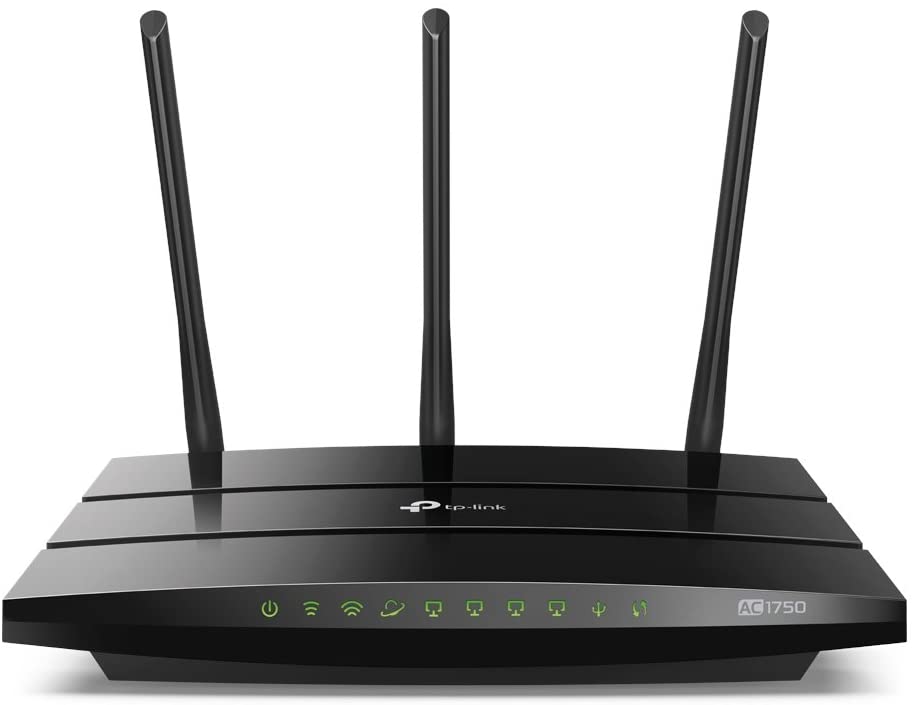
The purpose of this article is to explain dual-band routers, including how they function and how they relate to similar models. We'll go through the fundamentals to see if a dual-band router is good for you. Internet access at home is a must, but with so many options available, finding the ideal solution can be difficult. You're not alone if you're perplexed by the language and technical jargon.
Need internet connection?
Find the best internet provider near you
Also, Read: All You Need to Know About Wifi Extender and Mesh Wifi
What is the definition of a router band?
When you connect a phone, tablet, or other WiFi-enabled devices to your router, the router sends your device a wireless signal. The transmission travels via one of two frequency bands to reach there: 2.4GHz or 5GHz.
What is the difference between a dual-band router and a single-band router?
A dual-band router, as the name implies, sends out wireless signals on two different frequency bands (2.4GHz and 5GHz). Dual-band routers give you greater options in terms of how you connect to the internet because they use two bands.
Because more devices connect to the 2.4GHz band, you'll likely see slower internet connections and more interference. If you reside in a densely populated location, this is especially true.
Only more recent digital devices, on the other hand, are compatible with 5GHz. To use the 5GHz band, you'll also need a dual-band or tri-band router (more on that later in this article). As a result, there are fewer connections on this band, which means better internet speeds.
Dual-band routers divide your internet traffic between these two bands, increasing speed and dependability. In essence, each band handles a lesser volume of traffic, allowing you to have more coverage while yet maintaining adequate speed and connection throughout your devices.
Learn more about What is the Difference Between 2.4GHz and 5GHz WiFI?
What is the distinction between a single-band, dual-band, and tri-band router?
Single-band
Single-band routers are the earliest form of the router on the list, with only a single 2.4GHz frequency band. All internet-connected gaming consoles, phones, tablets, and other devices in your home will use this band if you have one of these routers.
This can reduce your WiFi speed, especially if other nearby homes or flats are also using 2.4GHz bands.
Dual-band Router
Both the 2.4GHz and 5GHz bands are used by dual-band routers. You can browse the internet or play games with minimal interruption because traffic is distributed among numerous paths. As a result, you'll find that dual-band routers outperform single-band routers in terms of speed and dependability.
Tri-band
The newest routers on the market are tri-band routers. They have two 5GHz broadcasts and one 2.4GHz frequency. If you need maximum bandwidth or quick and dependable internet in several regions of your home, these routers are a smart choice. Tri-band routers are the most expensive of the lot, as you might assume.
How can you tell if you need a dual-band router?
If you're considering purchasing a dual-band router, there are a few things to consider.
To begin, how does your family utilize the internet? You might not need a dual-band router if you're a single individual who uses WiFi for low-bandwidth activities like browsing social media and talking with pals. (Learn How to Stop your Children eating up your Bandwidth while working from home)
A dual-band router, on the other hand, maybe a better choice for your family if you do a lot of gaming or streaming video.
A dual-band router, on the other hand, won't help if your internet-connected gadgets are old and incompatible with the 5GHz frequency band. If that's the case, you might save money by using a single band router, as you'll be using a 2.4GHz signal anyhow.
Finally, if cost is a consideration, you can save money by choosing a single-band router over a dual-band or tri-band router.
Related Posts
 cheap internet deals
Wifi
cheap internet deals
Wifi
The Hidden Internet Wi-Fi Fees That Inflate Your Monthly Bill
Learn about hidden internet Wi-Fi fees that quietly increase your monthly bill and discover practical ways to lower your long-term internet costs.
 Technology
Top Tech Trends Changing Everyday Life in 2026
Explore the biggest tech trends shaping 2026, including AI, 5G, smart homes, cybersecurity, blockchain, and the future of remote work.
 Technology
Best AI Tools for Automating Daily Work Faster
Discover the best AI tools to automate repetitive work, improve productivity, streamline workflows, and help businesses save valuable time daily.
 cheap internet deals
cheap internet plans
mobile phone plans
cheap internet deals
cheap internet plans
mobile phone plans
Best MetroPCS Family Plan Options for Saving Money
Explore the best MetroPCS family plan options, pricing, features, and savings tips to find affordable wireless service for your household.
 cable deal
cheap internet plans
Wifi
cable deal
cheap internet plans
Wifi
Affordable Internet Services in Columbus, Ohio
Compare affordable internet services in Columbus, OH. Discover top providers, fiber vs cable options, pricing tips, and how to choose the right plan.