Tips to Optimize Any Internet Service Speed
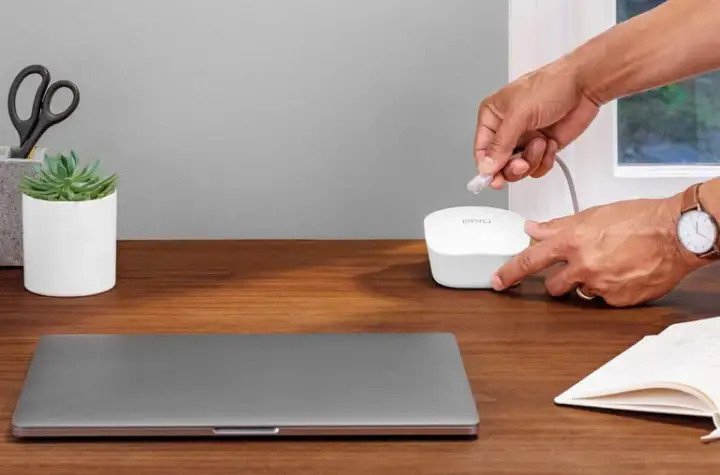
Did you know that every connected device on your network affected your internet speed? Yes, your internet speed is shared. (read more: Ways To Test Your Internet Speed Connection, What is a Good Speed to Consider?) Being connected to a Wifi tend to be faster, however, having many devices connected at the same time and doing multiple tasks that consume a lot of internet speed will slow down your connection. Some examples that affecting your internet speed; downloading large files, video conferencing, gaming, and streaming audio or videos.
Also, Read: Overheating Computer Might Cause Slow Internet Connection, Here's How To Fix it!
Before switching to a plan or provider, follow these steps first to improve your internet speed performance. Not getting the speed you wanted and paying the monthly bills is not good at all. Continue reading below to learn how to optimize your internet speed.
Network Security Update
Every connected device consumed internet bandwidth, and unauthorized connections significantly slow down your internet speed. Change your password monthly, make sure your router's settings stick to passwords best practices. Keep it long up to 15 characters, a combination of symbols, capital letters, and numbers will prevent others from guessing your wifi password.
Also, Read: Which Internet is Best for office use?: Wired vs. Wireless?
Router Optimization
Playing your router setting will help you get the speed you wanted. Many routers have the option to prioritize the speed such as gaming, streaming, and downloads. Your router will boost your internet speed at the expense of multiple users.
Improve your Wifi Channel
If you don't get the speed you want on a 2.4 GHz channel, switch it to 5 GHz channel, this will boost your bandwidth an improve your internet speed. 2.4 offers a wider range when it comes to connection, but 5 GHz makes your internet speed faster.
Reset your Internet Router
Believe it or not, unplug-and-plug-back-in works, just like a smartphone, rebooting will help fix unknown issues. Hard reset will sometimes clear any unknown problems and boost your internet speed.
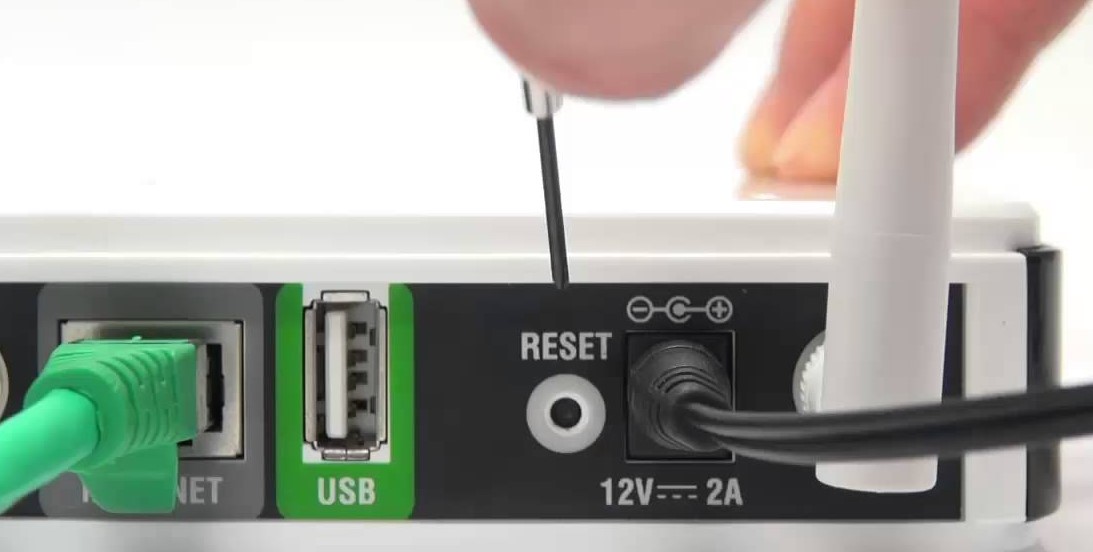
Shop for a new Router
The router itself often times slowing down your internet speed. If you're renting your router from your internet service provider, make sure they have the best quality. If they don't, replace your router with a new one. Router manufacturer improves every year, make sure to buy a new router that has all the features mentioned above. Looking for cheap internet?. Shop cheap fiber, cable, satellite, and DSL internet service in your area using our search provider page.
Related Topic: Internet Basic: How to Setup Wi-Fi Network in your Home?
Related Posts
 Technology
YouTube Key Commands That Make Watching Videos Faster
Learn the best YouTube key commands to navigate videos faster, improve productivity, control playback easily, and enjoy a smoother streaming experience.
 Regulations
Technology
Regulations
Technology
What is An Internet Cookie?
Learn what internet cookies are, how cookies work, the different types of cookies, their benefits, privacy concerns, and how to manage them safely online.
 cheap internet plans
mobile phone plans
Broadband Deals
cheap internet plans
mobile phone plans
Broadband Deals
Which Internet Providers Offer a Cheap Mobile Plan?
Discover which internet providers offer a cheap mobile plan when you bundle services. Compare savings, features, and the best options for your budget.
 Broadband Deals
Technology
Broadband Deals
Technology
What Is 5G and Why It Matters for Businesses and Everyday Life
Learn what 5G is, how it works, and why it matters for businesses and consumers. Discover its impact on speed, IoT, automation, and future connectivity.
 Technology
How to Choose High-Speed Satellite Internet for Your Home
Compare the best high-speed satellite internet providers, their features, coverage, speeds, pricing, and tips to choose the right internet service.