Spectrum WiFi Extenders Explained: Coverage Without the Headaches
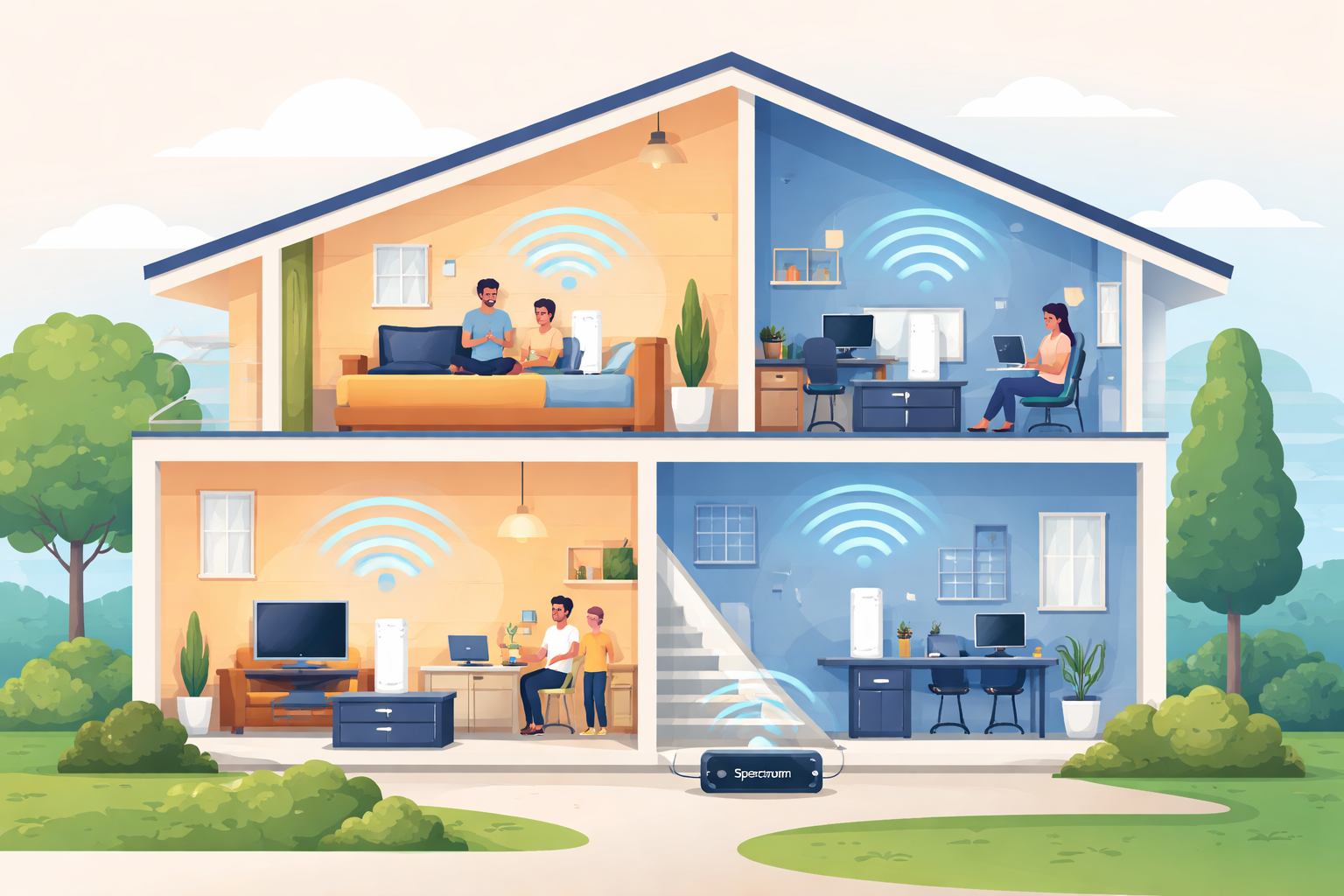
Slow connections in certain rooms can make even the fastest internet plan feel unreliable. Dropped video calls, buffering streams, and weak signals upstairs are common frustrations, especially in larger homes or properties with thick walls. Spectrum addresses this issue with its current generation of WiFi Extenders, which replace the older WiFi Pods and operate as part of its Advanced WiFi service.
This article breaks down how Spectrum WiFi Extenders work, what they cost, how they compare to the older Pods, and when it makes sense to consider buying your own mesh WiFi system instead. If you want stronger coverage without guesswork, this is where to start.
What Spectrum WiFi Extenders Are and How They Work
Spectrum WiFi Extenders are small devices designed to expand your home’s wireless coverage using mesh WiFi technology. Instead of simply boosting a signal from one direction, they create a connected network that blankets your home more evenly.
Unlike traditional range extenders, these devices communicate with each other and with your main Spectrum router, allowing your phone, laptop, or smart TV to automatically connect to the strongest signal as you move around your home.
Mesh WiFi Coverage for Real Homes
Mesh WiFi works particularly well in homes where a single router cannot reach every room reliably. Multi-story houses, long floor plans, and buildings with concrete or brick walls often experience dead zones. Spectrum WiFi Extenders are designed to eliminate those weak spots by spreading coverage intelligently rather than amplifying a fading signal.
Because these extenders are part of Spectrum’s Advanced WiFi ecosystem, the network automatically manages connections and optimizes performance behind the scenes. There is no need to manually switch networks or adjust technical settings.
Spectrum WiFi Extenders vs. Older WiFi Pods
Spectrum previously offered WiFi Pods, which served a similar purpose but came with a slightly different pricing model. While both products rely on mesh WiFi technology, the newer extenders offer improved performance and simplified management.
Key Differences Between Extenders and Pods
Spectrum WiFi Extenders are now the standard option for customers who need expanded coverage. Older WiFi Pods are no longer issued to new customers, though some existing users may still have them in place.
The most notable differences include:
- Rental cost: WiFi Extenders are leased at $5 per month per unit, while older Pods were $3 per month.
- Performance: Extenders are optimized for newer Spectrum routers and faster internet tiers.
- Availability: Pods are legacy equipment, while extenders are actively supported and recommended.
Despite these differences, both devices rely on the same mesh WiFi concept and are managed in the same way through Spectrum’s app.
Understanding the Full Cost of Spectrum WiFi Extenders
One of the most important factors for many households is the monthly cost. Spectrum WiFi Extenders are not a one-time purchase; they are rented as part of your service.
Monthly Equipment Fees
Each Spectrum WiFi Extender costs $5 per month. The total monthly fee depends on how many units your home requires. Larger homes may need two or three extenders to achieve consistent coverage throughout the property.
Advanced WiFi Service Requirement
To use Spectrum WiFi Extenders, you must also have Spectrum’s Advanced WiFi service. This service costs $10 per month, unless it is already included in your plan.
Advanced WiFi is often bundled with higher-tier internet packages such as Internet Gig or 2 Gig, and it may also be included when combined with Spectrum Mobile or TV services. When included, the additional $10 fee does not apply.
When evaluating total cost, it is important to consider both the extender rental and the Advanced WiFi service together.
Managing Your Network with the My Spectrum App
All Spectrum WiFi Extenders are managed through the My Spectrum App, which simplifies both setup and ongoing network management. The app provides step-by-step instructions that guide you through placing and activating each extender.
You can access the app directly through Spectrum’s official page at
https://www.spectrum.net/page/my-spectrum-app
What the App Allows You to Do
The My Spectrum App gives you visibility and control over your home network without requiring technical expertise. Through the app, you can:
- Monitor connected devices
- View signal strength and coverage
- Restart your network if needed
- Receive placement recommendations for extenders
Because the extenders are fully integrated into Spectrum’s system, firmware updates and optimizations are handled automatically.
How to Get Spectrum WiFi Extenders
Obtaining Spectrum WiFi Extenders is a straightforward process. Spectrum recommends contacting customer support to determine how many units are appropriate for your home’s size and layout.
You can reach Spectrum directly through their official website at
https://www.spectrum.com/
Support representatives can assess your current setup, recommend the correct number of extenders, and arrange shipping. If you are already using older WiFi Pods, they can also assist with upgrading to the newer extender units.
In many cases, extenders can also be requested directly through the My Spectrum App, making the process even more convenient.
When Spectrum WiFi Extenders Make Sense
Spectrum WiFi Extenders are designed for customers who want simplicity and minimal hands-on configuration. Because Spectrum manages the hardware, software, and optimization, these extenders are ideal for users who prefer a set-and-forget solution.
They work particularly well if:
- You want seamless integration with your Spectrum router
- You prefer predictable monthly costs over upfront purchases
- You want Spectrum to handle updates and troubleshooting
For many households, this convenience outweighs the ongoing rental fee.
Considering a Third-Party Mesh WiFi System
Some users prefer to avoid monthly equipment fees altogether by purchasing their own mesh WiFi system. Popular third-party options include brands like Eero, Google, and Netgear.
One widely used example is Eero, available at
https://eero.com/
Benefits of Buying Your Own Mesh WiFi
Purchasing your own mesh system involves a higher upfront cost, but it can reduce long-term expenses. By using your own router and mesh hardware, you may be able to eliminate both the $5 extender rental and the $10 Advanced WiFi service fee.
Other advantages include:
- Full control over network settings
- Advanced customization options
- Flexibility to change internet providers without replacing equipment
Trade-Offs to Keep in Mind
While third-party systems offer flexibility, they also require more involvement. You are responsible for setup, placement, updates, and compatibility. Troubleshooting may also be more complex, especially if issues arise between your equipment and Spectrum’s modem.
For users who are comfortable managing their own network hardware, this approach can be cost-effective over time. For others, the convenience of Spectrum-managed extenders may be worth the monthly fee.
Choosing the Right Option for Your Home
The decision between Spectrum WiFi Extenders and a third-party mesh system ultimately comes down to priorities. If you value ease of use, centralized support, and tight integration, Spectrum’s extenders are a practical solution.
If long-term savings and customization matter more, investing in your own mesh WiFi hardware can provide excellent performance without recurring equipment charges.
Both options rely on the same core principle: mesh WiFi coverage that adapts to your home and eliminates frustrating dead zones. The difference lies in who manages the system and how you pay for it.
Call (844) 273-1634
Final Thoughts on Spectrum WiFi Extenders
Spectrum WiFi Extenders offer a reliable way to improve wireless coverage without technical complexity. At $5 per month per unit, combined with the Advanced WiFi service, they provide predictable pricing and seamless integration for Spectrum customers.
For many households, this approach delivers consistent performance across every room with minimal effort. For others, owning a mesh WiFi system may provide greater control and long-term value. Understanding both options ensures you choose the setup that best fits your home, your budget, and how hands-on you want to be with your network.
Related Posts
 Technology
Wifi
mobile phone plans
Technology
Wifi
mobile phone plans
What Is a Mobile Hotspot and How Does It Work?
A mobile hotspot is a portable feature or device that converts a cellular data connection (like 4G LTE or 5G) into a private Wi-Fi network
 Broadband Deals
cable deal
Broadband Deals
cable deal
Xfinity Cable Package Deals That Actually Deliver Value
Discover the best Xfinity cable package deals, compare internet and TV bundles, understand pricing, and choose the right plan for your home and budget.
 Broadband Deals
What Is TDS Internet and Is It Right for Your Home?
Learn what TDS Internet is, how it works, available plans, pricing, speeds, benefits, and how it compares with other internet providers.
 Internet Bundles
Bundle Internet, TV, and Phone Without Overpaying
Learn how to bundle internet, TV, and phone services for the best value. Compare plans, avoid hidden fees, and choose the right package for your home.
 Broadband Deals
cable deal
cheap internet deals
Broadband Deals
cable deal
cheap internet deals
Chicago Neighborhood Internet Guide for Better Connectivity
Explore internet options across Chicago neighborhoods, compare providers, understand speeds, costs, and find the best broadband solution.