Mobile Data Overages: Why They Happen and Stop Them
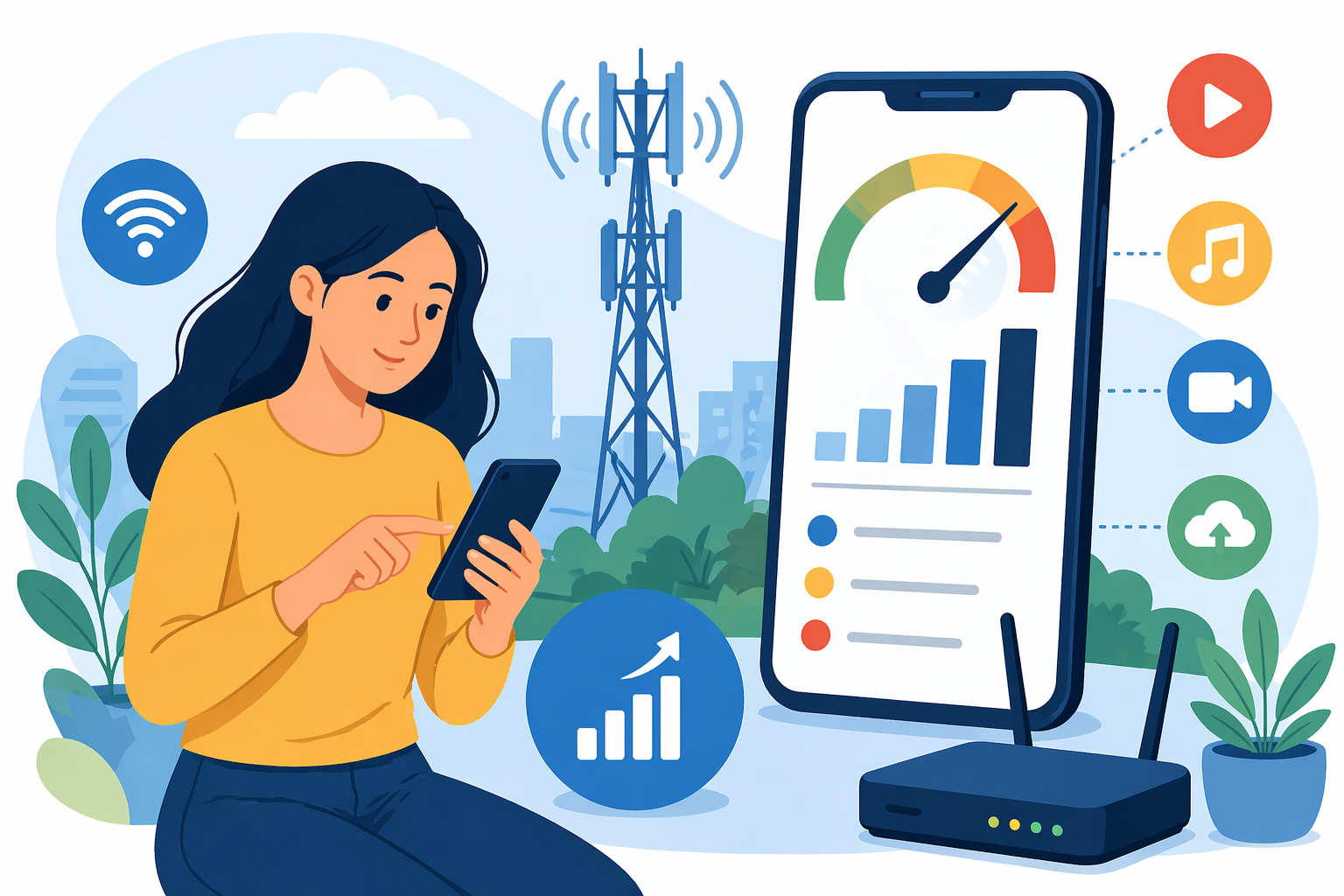
Mobile data overages are one of the most frustrating charges on a phone bill. You sign up for a plan that seems like enough, use your phone normally, and then end up paying extra because you crossed a limit you barely noticed. For many people, the problem is not reckless usage. It is a lack of clarity around how mobile data works, what activities consume the most data, and how quickly small habits add up throughout the month.
If you have ever wondered why your mobile data runs out faster than expected, you are not alone. Streaming, app updates, cloud backups, video calls, social media, and even idle background activity can quietly eat through your allowance. Once you understand what causes mobile data overages, it becomes much easier to avoid them, lower your monthly costs, and choose a plan that fits the way you actually use your phone.
This guide breaks down why mobile data overages happen, which habits trigger them most often, and the best ways to prevent those charges before they hit your bill.
What Mobile Data Overages Really Mean
A mobile data overage happens when you use more cellular data than your plan includes for a billing cycle. If your plan comes with a fixed monthly data allowance, any usage beyond that limit may trigger additional charges, reduced speeds, or both.
Some providers charge by the extra gigabyte. Others automatically add blocks of data at a premium rate. In some cases, the provider slows your speeds so heavily that normal browsing, streaming, and app use become frustrating until the next billing cycle begins.
That is why overages matter. They do not just affect cost. They can also affect your day-to-day phone experience.
Many users assume mobile data is only consumed when they are actively watching videos or scrolling online. In reality, phones are constantly doing things behind the scenes. Apps refresh content, upload photos, sync messages, pull location data, and install updates even when you are not paying attention.
Why Mobile Data Overages Happen So Often
Most people do not go over their data cap because of one dramatic mistake. It usually happens through a series of small, normal actions that add up faster than expected.
Background app activity
One of the biggest hidden causes of data overages is app activity that happens when you are not directly using your phone. Social apps, email platforms, cloud storage tools, navigation apps, and shopping apps often refresh in the background to stay current.
That means your phone may be using background data while sitting in your pocket or on your desk.
Video streaming and autoplay
Video is one of the fastest ways to burn through mobile data. Streaming in HD or higher can use a large amount of data in a short time, especially on apps that autoplay content by default.
A few long videos, live streams, or short-form clips spread throughout the day can quickly push you closer to your data limit than you realize.
App updates over cellular
Many users do not realize that app updates can happen outside Wi-Fi settings if their phone is configured that way. Large apps, games, and system patches can consume a surprising amount of mobile data.
This becomes a bigger issue when multiple apps update automatically in the background over several days.
Cloud backups and media syncing
Photos and videos taken on your phone often sync automatically to cloud storage. If you are taking high-resolution images or recording video, those uploads can use a lot of data in the background.
Messaging apps can also contribute by auto-downloading media files, especially in group chats where images and video clips arrive constantly.
Misunderstanding what counts as data usage
A lot of users underestimate how many everyday actions count toward mobile data. Browsing websites, loading maps, using smart home apps, joining video calls, streaming music, checking security cameras, and playing online games all pull from the same monthly pool.
A clearer picture of every online activity helps explain why data usage feels manageable at first and then suddenly spikes later in the month.
The Most Common Habits That Trigger Overages
Data overages usually follow recognizable patterns. When you know which habits are most likely to increase usage, it becomes easier to control them without making your phone less useful.
Streaming on the go
Watching video on mobile data during commutes, travel, breaks, or downtime is common. It is also one of the most expensive habits in terms of data consumption.
High-definition video, social media reels, and live content all add up quickly. Even if you only watch in short bursts, frequent sessions across the month can push you over your plan limit.
Using your phone as a hotspot
Hotspot use can consume data at a much faster rate than regular mobile browsing. Once you connect a laptop, tablet, or another device, tasks like software updates, cloud syncing, and large downloads can happen automatically.
That means a short hotspot session can use more data than an entire day of normal phone use.
Relying on mobile data at home
Sometimes home internet is unreliable, slow, or unavailable, so people fall back on cellular service more often than they realize. If your phone becomes the backup for streaming, browsing, gaming, or work tasks, your plan may not be able to keep up.
This is especially common in households that assume moderate phone usage but actually depend on mobile data for larger daily needs.
Leaving app settings untouched
Most phones and apps default to convenience, not efficiency. Autoplay, auto-download, background refresh, automatic backups, and unrestricted updates are often turned on from the start.
If you never adjust those settings, your phone may be using far more data than you intended.
How to Know If Your Data Plan Is Too Small
Sometimes the problem is not behavior. It is simply the wrong plan.
If you consistently come close to your monthly cap, regularly hit warnings from your carrier, or slow down your usage near the end of each cycle to avoid extra charges, your plan may not match your real-world habits anymore.
Here are a few signs your plan is too limited:
You hit your limit more than once
An occasional high-usage month can happen to anyone. But if you run into overages repeatedly, that pattern usually means your current data allowance is not realistic.
You avoid normal phone use to stay under the cap
If you feel like you have to ration maps, music, videos, uploads, or social media use every month, your plan may be creating unnecessary friction.
Your household or work habits have changed
Remote work, more streaming, frequent travel, and hotspot use can all raise your data needs over time. A plan that worked a year ago may not work now.
You rely on mobile service for multiple tasks
If your phone handles entertainment, navigation, communication, and occasional work access throughout the day, your usage can climb quickly, even when it feels normal.
Simple Ways to Avoid Mobile Data Overages
The good news is that most mobile data overages can be prevented with a few practical changes. You do not need to stop using your phone normally. You just need more visibility and better control.
Track your usage every week
Do not wait for the end of the billing cycle to check your usage. Most carriers provide tracking tools through their apps or account dashboards. Looking once a week gives you time to notice patterns and adjust early.
This is especially useful if one line on a family plan is consuming more data than expected.
Turn off unnecessary background data
Review which apps are allowed to use mobile data in the background. Many do not need full access all the time. Social apps, retail apps, games, and some productivity tools can often be restricted without hurting your experience.
Use Wi-Fi whenever it is reliable
Connecting to trusted Wi-Fi at home, work, or other familiar places is one of the simplest ways to reduce mobile usage. Large downloads, system updates, backups, and streaming are all better handled over Wi-Fi when possible.
Just make sure your Wi-Fi connection is secure and stable before relying on it for sensitive activity.
Reduce streaming quality
Not every video needs to play in the highest available resolution. Lowering streaming quality on video apps can make a meaningful difference over the course of a month.
The same goes for music apps, podcasts, and video calls when you are away from Wi-Fi.
Disable automatic app downloads over cellular
App stores usually allow you to block downloads and updates unless you are connected to Wi-Fi. Turning that setting on helps prevent large background transfers that quietly consume your data.
Manage cloud backups carefully
Check whether photos, videos, and files are set to sync only over Wi-Fi. If not, large uploads may be happening every time you capture media while away from home.
A few short videos recorded throughout the week can have a bigger impact than many users expect.
Set carrier alerts and phone limits
Most providers let you set usage alerts at specific thresholds, such as 50 percent, 75 percent, and 90 percent of your monthly data. Some phones also let you set your own mobile data warning and hard cut-off.
These reminders help you act before you cross the line into overage territory.
What Counts as Heavy Data Use
Many people think they are light users because they do not stream movies all day. But data use is broader than that.
Heavy usage can include long navigation sessions, video meetings, regular hotspot use, constant social media scrolling, large file uploads, frequent short-form video viewing, and automatic photo or video syncing. Even casual users can become moderate or heavy users depending on how much of that activity happens on cellular instead of Wi-Fi.
The difference is not always obvious in the moment. That is why understanding usage categories matters. Once you know what consumes the most data, it becomes easier to decide which habits to change and which plan level makes sense.
When Upgrading Your Plan Makes More Sense
There are times when reducing usage is enough. There are also times when upgrading your plan is the more practical choice.
If you depend on mobile data for work, travel often, use hotspot access regularly, or live in a household where cellular service fills gaps left by home internet, trying to squeeze everything into a small data cap may cost more in the long run.
Paying repeated overage fees can easily become more expensive than switching to a plan with a larger allowance or unlimited data. The right decision depends on your actual usage pattern, not the plan you originally thought would be enough.
If you are comparing options, it helps to search mobile providers based on the type of mobile usage you have now, not the usage you had months ago.
How Families Can Reduce Shared Data Problems
Shared data plans create another layer of overage risk because one person’s usage can affect everyone else on the account.
A single heavy streamer, hotspot user, gamer, or frequent traveler can consume a large portion of the family’s data pool before others realize what is happening.
Here are a few smart ways families can stay ahead of the problem:
Review usage by line
Most carriers show how much data each line uses. That makes it easier to identify patterns and address them without guessing.
Adjust settings on high-use devices
Teenagers’ phones, tablets, and secondary devices often have more unrestricted app settings. Reviewing those devices can uncover autoplay, downloads, or sync activity that is driving up usage.
Set shared expectations
Families do better when everyone knows what counts as high data use and when Wi-Fi should be the default option.
Clear expectations reduce surprises at the end of the billing cycle.
Final Thoughts on Avoiding Mobile Data Overages
Mobile data overages are common, but they are rarely random. They usually come from a mix of hidden background activity, streaming habits, automatic updates, cloud syncing, hotspot use, and plans that no longer fit real usage.
The key is visibility. Once you understand what is using your data and when it happens, you can make smarter choices without overcomplicating your daily routine. Small changes like managing app settings, using Wi-Fi more strategically, lowering streaming quality, and tracking usage regularly can go a long way.
At the same time, avoiding overages is not always about cutting back. Sometimes the best solution is choosing a mobile plan that actually matches how you live, work, and stay connected.
If your phone bill keeps climbing because of extra data charges, now is a good time to look at your habits, review your settings, and make sure your plan is working for you instead of against you.
Related Posts
 Broadband Deals
cheap internet deals
Subscription
Broadband Deals
cheap internet deals
Subscription
Affordable Internet and TV Bundles for the 2026 World Cup
Compare affordable internet and TV bundles for sports fans and enjoy reliable coverage of the 2026 World Cup without overspending.
 Internet Bundles
How to Detect ISP Throttling and Improve Your Internet Speed
Learn how to detect ISP throttling, identify common warning signs, test your connection, and improve internet speed for streaming, gaming, and work.
 cheap internet deals
cheap internet plans
cheap internet offers
cheap internet deals
cheap internet plans
cheap internet offers
Which ISP Offers the Best Long-Term Price Stability?
Compare ISPs with the most stable long-term pricing. Learn how to avoid bill increases, evaluate plans, and choose affordable internet service.
 Broadband Installation
How to Get Internet Without a Phone Line or Cable TV
Learn how to get internet without a phone line or cable TV. Compare fiber, cable, wireless, DSL, and satellite options for affordable connectivity.
 Internet Bundles
Broadband Deals
Internet Bundles
Broadband Deals
How to Find the Least Expensive ISP Without Losing Speed
Learn how to find the least expensive ISP in your area without sacrificing speed, reliability, or value. Compare plans and avoid hidden fees.