How to Keep Your Kids Safe Online Today
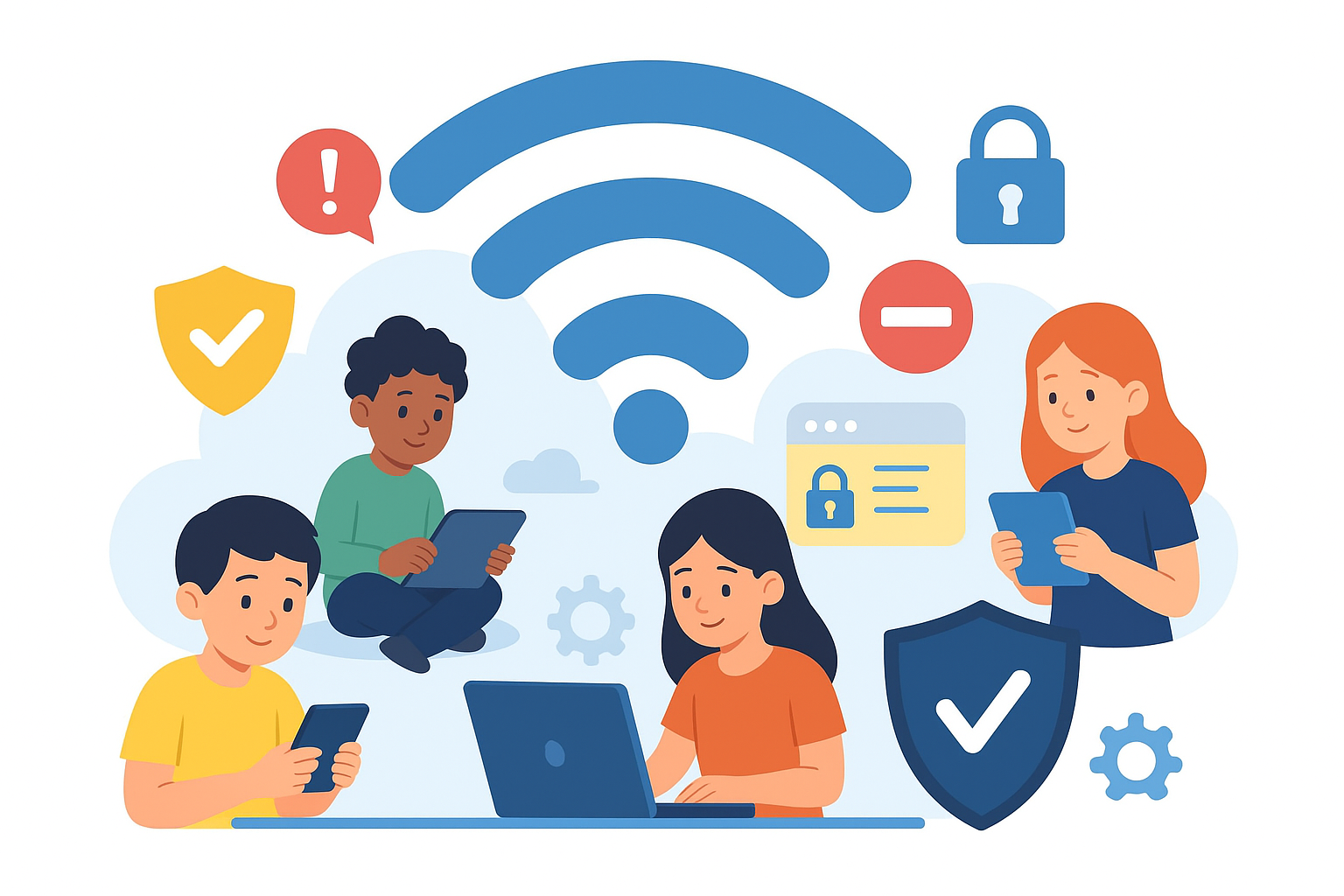
Kids today live in a world where screens are constant companions. They message, they scroll, they tap—and they would hardly look up even if the world paused. This generation is growing up in an always-connected digital environment, and while technology offers enormous benefits, it also opens the door to a range of online risks.
Research shows that about 60% of parents allow their children online before age 11. At the same time, 78% of parents believe kids now face more online dangers than just a few years ago, yet only half regularly check browser histories or limit access to certain apps and websites. This gap between awareness and action is exactly what puts kids at risk.
Parents face the challenge of guiding children through a digital landscape that evolves faster than any previous generation. Kids adapt quickly—they explore naturally, learn rapidly, and often understand devices better than adults do. But like teaching them to look both ways before crossing the street, online safety is now an essential life skill.
The goal isn’t to restrict kids from the online world—it’s to give them the awareness and habits to navigate it confidently and safely.
Teaching Kids the Foundations of Digital Safety
Keeping Devices Secure at All Times
Smartphones, tablets, and laptops are more than entertainment devices—they hold valuable personal information. Cybercriminals often earn more by stealing the data inside devices than by selling the hardware itself. Items like passwords, school details, addresses, birthdates, and even identification numbers can be used for identity theft.
Kids become prime targets because their devices often store school or sports-related details that include personal data. Teaching kids to treat their devices like valuables—never leaving them unattended and always keeping them in sight—is a simple but powerful habit.
Additionally, ensuring your home Wi-Fi is secure adds another layer of protection. A safe network prevents outsiders from intercepting sensitive data from your children’s devices, helping keep their online activities private and secure (learn more about home Wi-Fi security).
Explain why their device matters: not just because it’s expensive, but because the information inside it is worth far more than the gadget itself.
Helping Kids Identify Safe and Unsafe Clicks
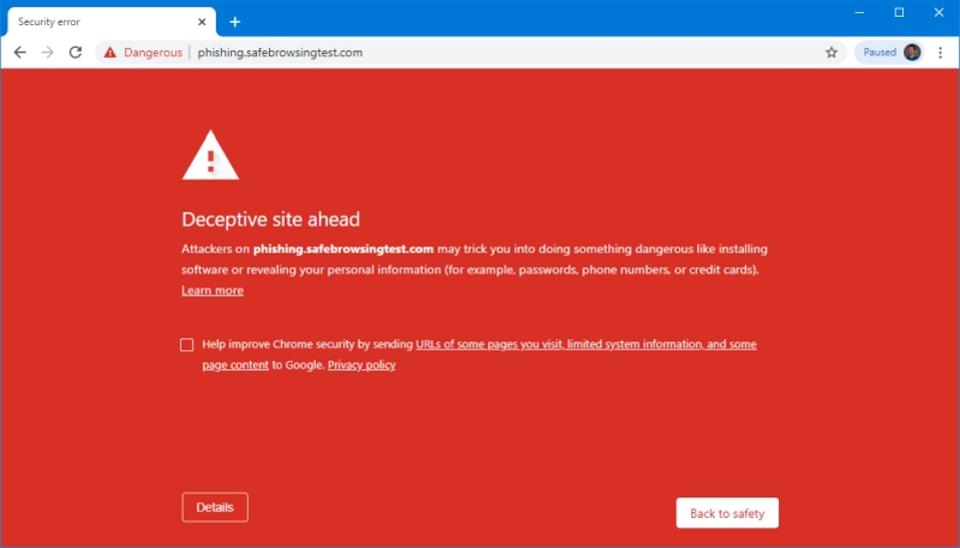
Phishing attempts are everywhere—emails, pop-ups, messages, fake websites, and misleading ads. It only takes one wrong click to invite malware or viruses into a device.
Teach kids how to recognize suspicious content:
Spotting Red Flags in Links and Emails
- Strange spelling in URLs
- Messages from unknown senders
- Urgent warnings demanding action
- Offers that feel “too good to be true”
- Unexpected attachments
- Slight misspellings in company emails
Encourage your child to hover over a link before clicking. Seeing the real URL helps them determine whether it leads to a trusted site or something suspicious.
If they ever feel unsure, the rule is simple: don’t click—go directly to the company’s official website. Whether it’s an email about an online purchase, school update, or social media alert, visiting the verified website is always safer.
This helps protect them from the most common cyber threats that spread through phishing attempts, malware downloads, and deceptive clicks.
Teaching the Importance of Password Privacy
Sharing passwords may seem harmless to kids, especially when friends do it casually. But studies show 76% of people share passwords, and it takes just one moment of poor judgment to compromise an entire device or account.
Help your kids build strong password habits:
Creating a Strong Password
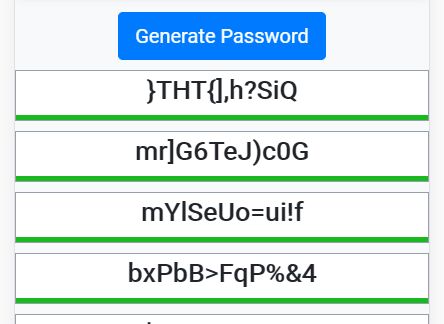
A strong password should use:
- At least 10 characters
- A mix of upper and lowercase letters
- Symbols and numbers
- Varied combinations for different accounts
Also teach them:
- Never reuse the same password across different apps
- Change passwords regularly
- Keep passwords private—even from friends
If remembering multiple passwords becomes overwhelming, consider a family password manager to make organization easier.
Navigating Social Media Safely
Kids are joining social platforms earlier than ever. While many apps require users to be at least 13 years old, some allow younger children to join with parental supervision. Whether your child uses Facebook, Instagram, TikTok, or any other platform, it’s essential to understand how their online presence can affect their safety.
Reviewing Privacy Settings
Default settings often reveal too much—profile details, location, friends list, tagged photos, and more. Adjust these settings to the highest privacy level to limit what strangers can see.
Show your children how to:
- Reject friend requests from people they don’t know
- Avoid clicking suspicious links or messages from unknown profiles
- Disable features that make their information public
Remind them that some friend requests come from bots designed to steal data or spam users.
Protecting Location Information
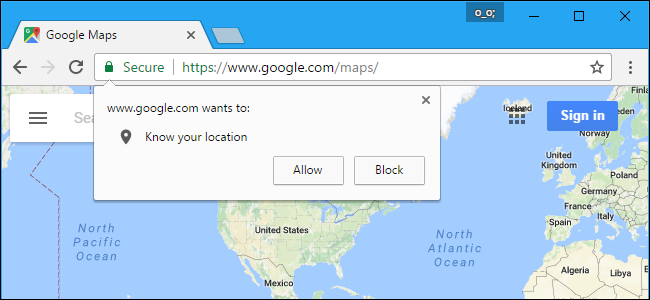
Location sharing is one of the most overlooked threats. It can reveal where they live, go to school, or spend time—details that should always stay private.
Turn off location services on apps that don’t need it and teach kids to avoid posting real-time updates from school, home, or recurring locations.
Encouraging Good Digital Citizenship
The internet never forgets. Even when posts vanish from timelines or apps like Snapchat claim messages “disappear,” traces remain. Comments, photos, and messages can resurface long after they were posted.
Practicing Respectful Online Behavior
Explain to kids that the online world functions like any other community—it has rules, responsibilities, and consequences. Encourage them to:
- Think before posting
- Avoid responding to negativity
- Be respectful in conversations
- Refrain from sharing anything hurtful
Watching for Signs of Cyberbullying
Cyberbullying can be devastating. Teach your child to speak up if:
- They are being bullied
- They witness someone else being bullied
- They feel uncomfortable with online interactions
Let them know that the law protects victims of cyberbullying, and they should always come to you for help.
The best defense is building a supportive environment where they feel safe asking questions, reporting concerns, and discussing their online experiences.
Building an Online Safety Routine at Home
Consistency matters. A few guidelines can help shape responsible online habits:
Set Clear Boundaries
- Create device-free hours (like during dinner or before bedtime)
- Establish screen-time limits
- Keep devices out of bedrooms at night
Stay Involved, Not Intrusive
Kids don’t need surveillance—they need guidance.
Talk regularly about what they do online, who they interact with, and the apps they enjoy. Encourage open communication without making them feel monitored.
Keep Your Knowledge Up to Date
New apps, trends, and platforms appear constantly. Staying informed helps you understand what your kids are using and whether those tools are safe.
Final Thoughts: Empower, Don’t Restrict
Online safety isn’t about locking down the internet—it’s about teaching kids how to thrive in it. Technology is part of their world, and with the right habits, they can enjoy the benefits while staying smart and protected.
A strong foundation in digital safety helps kids:
- Think critically
- Protect personal information
- Recognize threats
- Engage respectfully
- Make responsible decisions
Empower them with the knowledge and skills they need, and they’ll grow into confident, capable digital citizens.
Related Posts
 Safety
What Not to Do And Internet Safety Tips To Protect You Online
Learn what not to do online and discover practical internet safety tips to protect your personal data, devices, and accounts from cyber threats.
 cheap internet deals
Cheap Internet Plans in Florida: Find the Right Fit Fast
Discover how to find cheap internet plans in Florida based on your lifestyle, location, and speed needs. Compare providers and choose the best plan today.
 cheap internet deals
Cheap Internet Plans vs Premium Plans
Cheap vs premium internet plans explained. Learn the key differences in speed, data limits, reliability, and pricing to choose the best plan for your home.
 Subscription
cheap internet offers
Subscription
cheap internet offers
Spectrum vs Verizon 5G Home Internet: Which Is Better?
Spectrum vs Verizon 5G Home Internet: compare speed, pricing, reliability, and availability to choose the best home internet provider for your household.
 Internet Bundles
How to Get Free or Cheap Internet in the U.S.
Learn how to get free or discounted internet in the U.S. Discover government programs, provider discounts, and practical ways to lower your monthly bill.