How to Reduce YouTube Data Usage?

If your YouTube data usage has you worried, try these ideas on how to limit data usage on YouTube and how to reduce data usage on YouTube.
Download YouTube videos to watch them later when you don't have access to the internet
Did you know you can watch YouTube videos while you're not connected to the internet? If you have YouTube Premium, downloading these videos so you don't have to use your cellular data to stream is one of the easiest methods to save data.
Watch videos on Wi-Fi
When you watch on Wi-Fi, your phone won't use your cellular connection and will instead connect to your home's Wi-Fi.
However, if you're wondering, "How can I cut down on my YouTube usage on Wi-Fi?"
Lower the quality of your streaming. You can also go into your YouTube settings and check that "Play HD on Wi-Fi only" is checked. Because you don't need to watch cat videos in 4K, this will save you a lot of data.
Turn off the autoplay feature
If left to its own devices, your YouTube account will turn on autoplay and begin playing the next round of lo-fi music videos. A simple method to avoid this (and save some data) is to off autoplay. On the watch screen of any video, you can turn it on or off.
Related: Guide For Free and Best Streaming Services for 2022
Lower the video quality
The amount of data you use is determined by the quality of the video you're watching, as previously stated. If YouTube is consuming a lot of your data, reducing the quality of the videos you're watching can help you save a lot of data. Do you want to know how much data each video quality consumes?
| Lowest quality (144p resolution) | Low quality (240p resolution or 320p) | SD quality (480p) | HD quality (720p-2k) | 4K Ultra HD Quality |
|---|---|---|---|---|
| 80MB/hr | 0.3GB/hr | 0.7GB/hr | Between 0.9GB/hr and 3GB/hr | 7.2GB/hr |
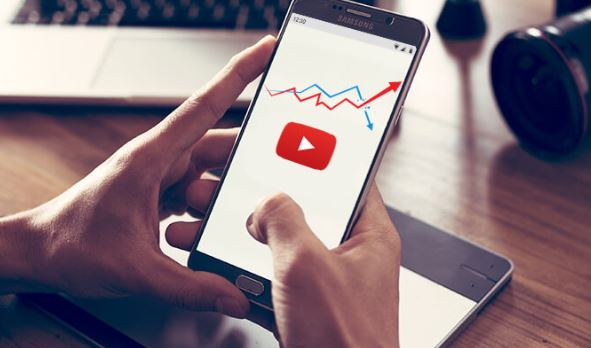
As you can see, lowering the resolution of your YouTube videos is an excellent method to conserve data. You can even choose a resolution of 144p. Not sure how to make a YouTube video smaller? To customize the video quality, touch "More" in the video player. If you want to be secure, you can go to your YouTube profile and alter the video quality for all videos you watch.
By the way, YouTube determines the default video quality based on the strength of your internet connection, so if you're concerned about data usage, you should always check the video quality.
Turn off cellular streaming
To save data, you can actually turn off all cellular streaming. How do you go about doing that? If you're using an Android device, slide down and select Mobile Data. Disable cellular streaming after that. Go to Settings > Cellular and turn off Cellular Data if you have an iPhone. If you're in a hurry, you may disable cellular streaming by putting either device into airplane mode.
Turn off muted playback
When you scroll around your YouTube home page or subscribed video feeds, YouTube will play a muted preview of the video for a few seconds. Another way your data can be swept into the streaming abyss is by this method. Return to your YouTube settings and disable the option for muted playback in feeds.
You now have a better understanding of how much data YouTube consumes. If you know you'll be a frequent streamer, get a wireless plan that can handle all of your YouTube-watching. Fortunately, we provide a variety of cellular options to accommodate you and all of your streaming requirements.
Find Plans That Suit Your Needs

Related Posts
 cheap internet deals
cheap internet plans
cheap internet deals
cheap internet plans
Why Utah and the Mountain West Attract Remote Workers
Discover why Utah and the Mountain West are attracting remote workers with affordable living, reliable internet, lower utility costs, and growth.
 Technology
Why Your Internet Keeps Disconnecting and How to Fix It
Learn why your internet keeps disconnecting and discover proven fixes for router issues, Wi-Fi interference, faulty cables, and network instability.
 Broadband Deals
cheap internet deals
Subscription
Broadband Deals
cheap internet deals
Subscription
Affordable Internet and TV Bundles for the 2026 World Cup
Compare affordable internet and TV bundles for sports fans and enjoy reliable coverage of the 2026 World Cup without overspending.
 Internet Bundles
How to Detect ISP Throttling and Improve Your Internet Speed
Learn how to detect ISP throttling, identify common warning signs, test your connection, and improve internet speed for streaming, gaming, and work.
 cheap internet deals
cheap internet plans
cheap internet offers
cheap internet deals
cheap internet plans
cheap internet offers
Which ISP Offers the Best Long-Term Price Stability?
Compare ISPs with the most stable long-term pricing. Learn how to avoid bill increases, evaluate plans, and choose affordable internet service.