Can an AT&T Mobile Hotspot Replace Your Home Internet?
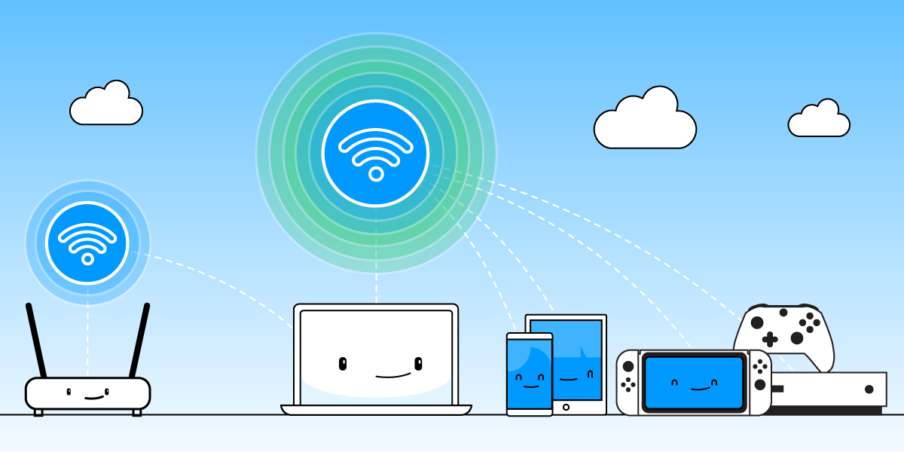
By connecting your smartphone or a standalone hotspot device, a mobile hotspot allows you to provide internet access to other devices—such as a laptop or tablet—wherever you have cellular signal. As long as the device you’re connecting has Wi-Fi capability, you can stay online without relying on public networks.
AT&T includes mobile hotspot functionality in several of its plans. This includes some Unlimited plans, all Network Sharing plans, and all Prepaid plans—such as the AT&T 4GB plan.
AT&T Internet is also offering packages to schools, helping more students access virtual classrooms and digital learning tools.
Can I replace my Home Internet with an AT&T mobile hotspot plan?
If you’re considering dropping your home internet, you might wonder if an AT&T mobile hotspot plan could take its place. Technically, it’s possible—but whether it’s practical depends on your usage.
AT&T offers plans with hotspot data ranging from 5GB to 60GB per month, depending on your specific plan. If your online activity is limited to checking emails, browsing websites, or occasionally streaming music or video, these plans might meet your needs.
However, if you stream HD or 4K content, work from home full-time, or have multiple devices connected, a 30GB or even 60GB limit could be used up quickly. Once your hotspot data is depleted, speeds are significantly reduced unless you purchase more data—a potentially expensive solution if done often.
AT&T’s reliable 4G LTE and 5G networks offer strong speeds—typically around 40 Mbps or higher—making it feasible for basic internet use. But during network congestion, speeds may vary.
Investing in a dedicated mobile hotspot device can also make a difference. AT&T offers several options, such as the Netgear Nighthawk LTE mobile hotspot router. It’s priced at $249.99 (or $8.34/month) and includes features like tracking connected devices, monitoring your data usage, and checking your billing cycle. This router can help you stay in control of your data and performance.
Also, Read: What is Portable Internet and What are the Best Portable Internet Today?
How to set up your AT&T mobile hotspot
For Android devices:
Go to your device settings
Tap “Connections” or “Networks”
Select “Mobile Hotspot and Tethering”
Turn on the hotspot
For Apple devices:
Go to your device settings
Tap “Cellular Data”, then select “Personal Hotspot”
Turn on the hotspot
Your AT&T plan must support mobile hotspot use. If it doesn’t, you may need to upgrade your plan to enable this feature.
Best AT&T mobile hotspot plans
Monthly prepaid data plans for mobile hotspots:
3GB of data for 30 days: $25/month (Add 1GB for $10)
10GB of data for 30 days: $50/month (Add 1.5GB for $10)
18GB of data for 30 days: $75/month (Add 2GB for $10)
Note: Unused data does not roll over. You must use it within the 30-day cycle.
Wireless phone plans that include hotspot data:
AT&T Unlimited Elite: 30GB/month of hotspot data per line
AT&T Unlimited Extra: 15GB/month of hotspot data per line
AT&T 4GB Plan: 4GB/month per line
Mobile Sharing plans are designed for data-only usage and work with tablets or dedicated hotspot devices—not smartphones. These plans range from $40/month for 4GB to $335/month for 50GB. There’s also a $20/month device access fee.
Some older wireless plans, like Unlimited & More Premium, are no longer available to new customers. However, if you’re still on one of these legacy plans, you can continue using the hotspot data included.
If you often find yourself without access to public Wi-Fi or need a portable internet solution, a mobile hotspot can be a convenient tool. It can also serve as a temporary or backup internet connection at home, especially if your broadband service is unreliable or unavailable in your area.
However, replacing your home internet completely with a hotspot plan requires careful planning. Evaluate how much data you use monthly, consider how many devices will be connected, and make sure the cost and speed of your hotspot plan can meet your everyday needs.
Before you hit that hotspot button, add up all the costs, check your expected usage, and decide if it’s a smart move for your household.
Shop AT&T Mobile plans

Related Posts
 Broadband Deals
cheap internet plans
Subscription
Broadband Deals
cheap internet plans
Subscription
Affordable High-Speed Internet for Seniors and Families
Find affordable high-speed internet for seniors and families. Compare speeds, costs, discounts, and low-cost plans to choose reliable service.
 Technology
Internet Speed Test: Benefits, Pros, and Cons Explained
Learn how internet speed tests work, what they measure, and their key benefits, pros, and cons. Get accurate results and use them to hold your ISP accountable.
 cheap internet deals
Wifi
cheap internet deals
Wifi
How to Get Cheap Temporary Internet for 3–6 Months
Learn how to get affordable temporary internet for 3–6 months without cancellation fees, including no-contract, 5G, prepaid, and flexible internet options.
 Broadband Deals
How to Search Internet Providers by Zip Code and Compare Plans
Search internet by zip code to find local providers, plans, and speeds available in your area. Compare options and get the best deal near you.
 Broadband Deals
cheap internet deals
Broadband Deals
cheap internet deals
How to Lower Your Home Internet Bill After ACP Ends
Learn practical ways to lower your home internet costs after ACP ended, including comparing plans, cutting fees, negotiating rates, and choosing the right speed