How to Connect your Mobile Device to TV
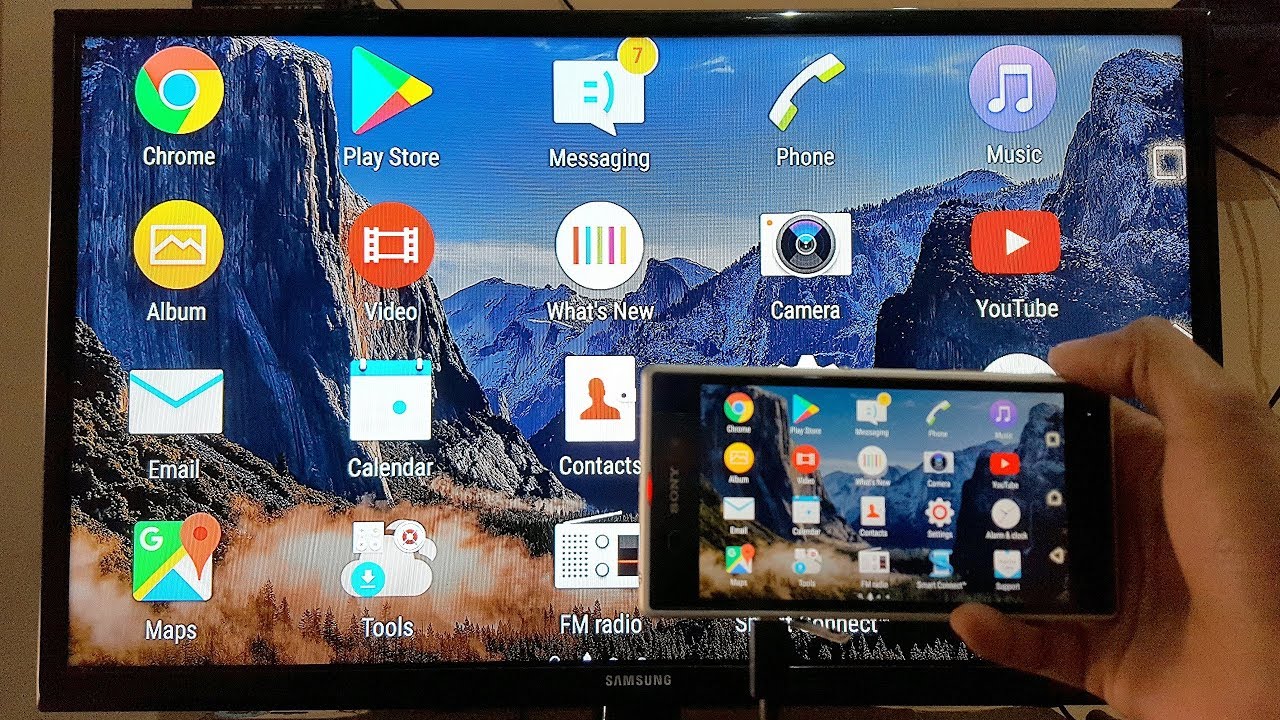
Being compact is also the mobile phone's downfall
We use mobile phones in everything we do. The camera on these compact devices captures great-looking videos and pictures. The only problem is that we get to show them to other people on a very small screen. What if we can make that screen bigger and appreciate every little detail in those footages. Aside from watching our Favorite TV Programs and Channels now, we can also enjoy watching videos from our phones. Several options exist for connecting your Android mobile device to your TV set.
Using HDMI Cable Adapter
HDMI cables attach to the back of your television and enable audio and video to be transferred from an external device such as a laptop or gaming console. It's as easy as plugging it in.
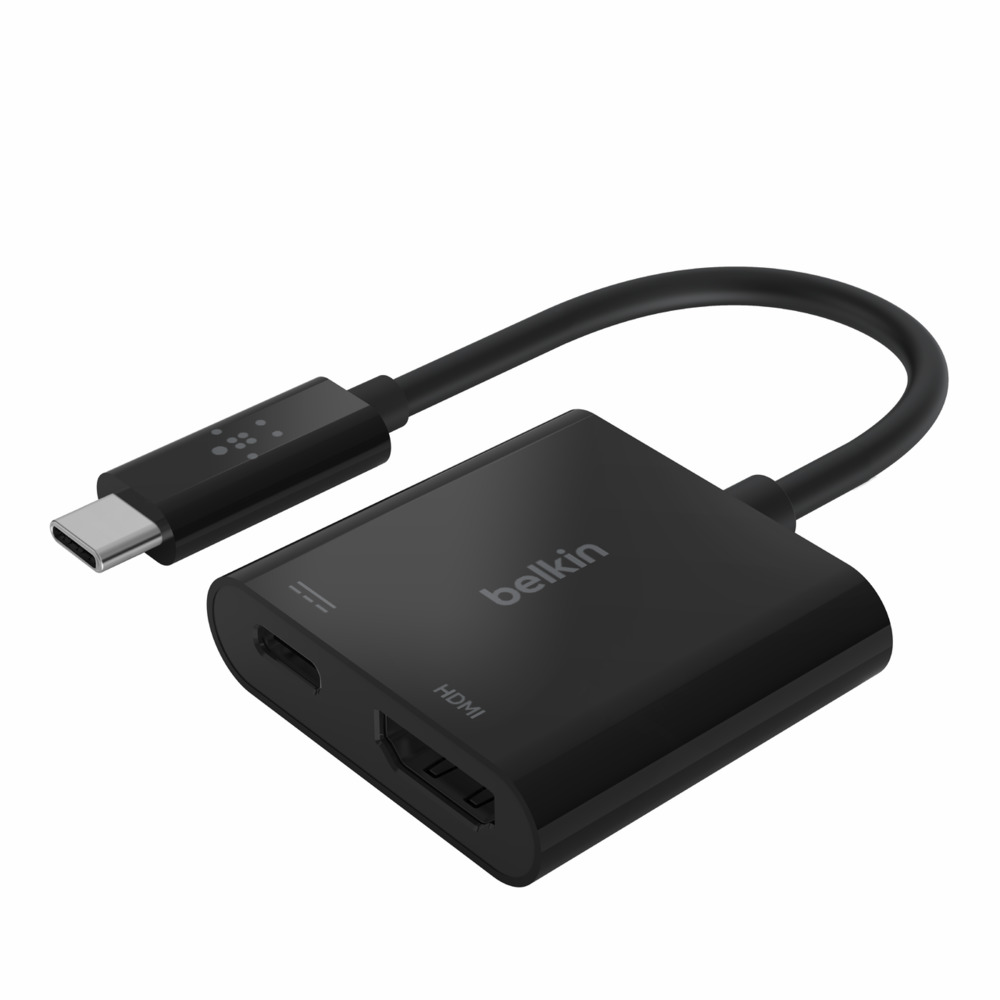
Although HDMI cables aren't usually compatible with Android devices, HDMI-to-Android adapters exist that allow you to project your Android's screen in the same way that you would with a standard HDMI cable.
You'll need to figure out the adapter you'll need depending on your Android's charging port; newer models use a USB-C link, while many older models use a micro-USB connection.
When you attach it to your TV, everything on your Android's screen will be shown on your TV.
Casting to a TV
Streaming over a wireless network is referred to as "casting." You should be able to download content from apps like YouTube or Netflix if you connect your TV and Android mobile device to the same Wi-Fi network.
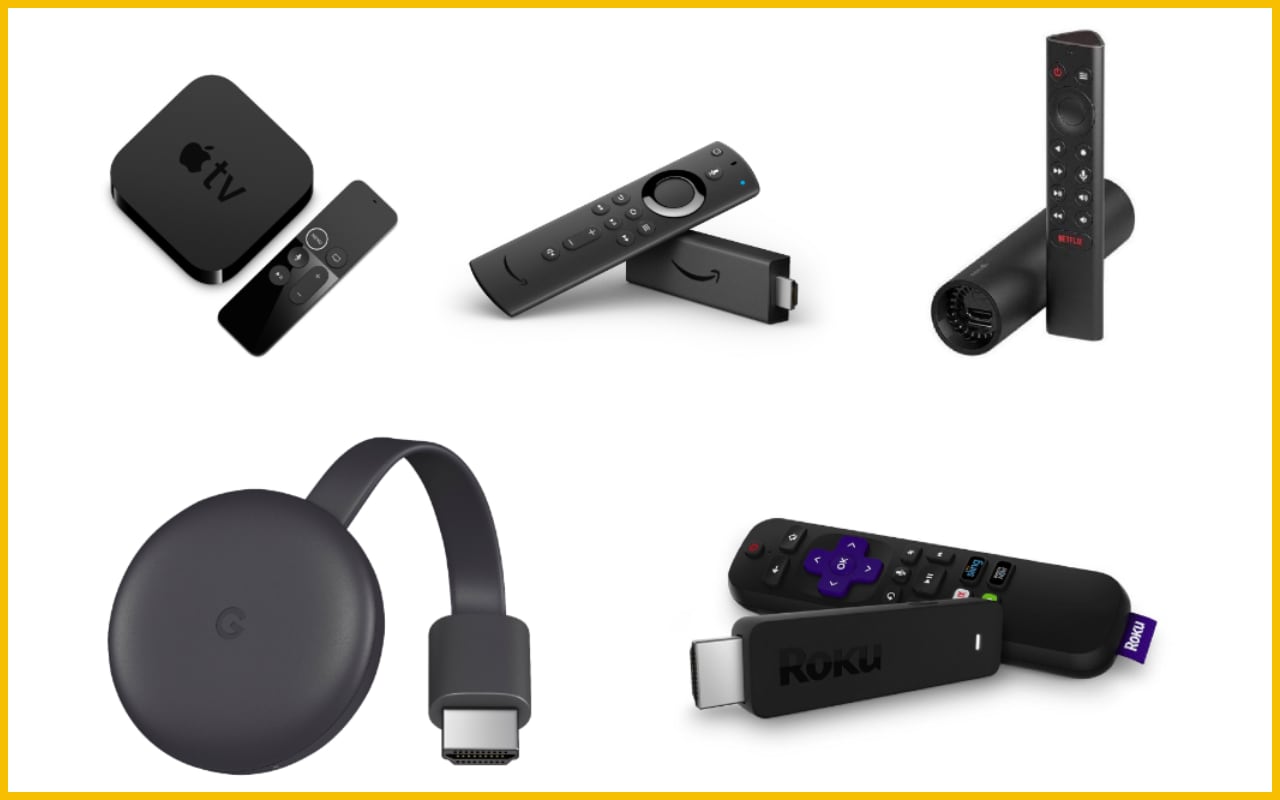
For good casting, devices such as the Google Chromecast and the Roku series of streaming devices are useful, but you can also cast using third-party software built into your Smart TV. Casting apps will not show your Android's exact screen on the TV. Instead, they'll screen videos and pictures in a style that better suits the TV's size and shape.
Casting devices can also be used alone and serve as your television's modem. But you need to connect it to the internet to use this feature
There are numerous third-party apps that allow you to link your Android to your TV via Wi-Fi. Try out a few different apps to see which you prefer.
Verdict
There are a lot of options available at the market today for us to show what we have captured on our mobile devices aside from those listed above. Whilst casting is quite tedious it is a good bonding experience with loved ones to sit and watch altogether in front of the television.
Get Cheap Internet Here:

Related Posts
 cheap internet deals
Best 300 Mbps Internet Deals: Top Plans Worth Paying For
Compare the best 300 Mbps internet deals from Xfinity, Spectrum, AT&T Fiber, and T-Mobile in 2026. Real pricing, hidden fees, and the right plan for you.
 Broadband Deals
cheap internet plans
Subscription
Broadband Deals
cheap internet plans
Subscription
Affordable High-Speed Internet for Seniors and Families
Find affordable high-speed internet for seniors and families. Compare speeds, costs, discounts, and low-cost plans to choose reliable service.
 Technology
Internet Speed Test: Benefits, Pros, and Cons Explained
Learn how internet speed tests work, what they measure, and their key benefits, pros, and cons. Get accurate results and use them to hold your ISP accountable.
 cheap internet deals
Wifi
cheap internet deals
Wifi
How to Get Cheap Temporary Internet for 3–6 Months
Learn how to get affordable temporary internet for 3–6 months without cancellation fees, including no-contract, 5G, prepaid, and flexible internet options.
 Broadband Deals
How to Search Internet Providers by Zip Code and Compare Plans
Search internet by zip code to find local providers, plans, and speeds available in your area. Compare options and get the best deal near you.