Hot Keys and Keyboard Shortcuts for Zoom on Windows
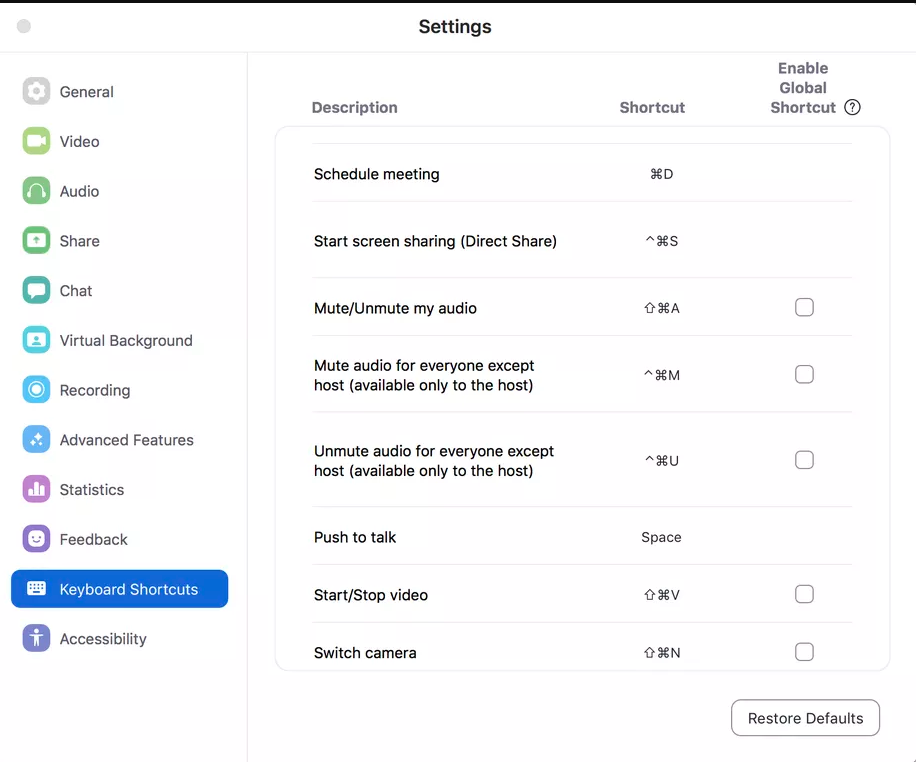
Everyones knows or uses Zoom nowadays. From parents, friends, neighbors, and especially co-workers. The Video conferencing software company has a moment during this pandemic. Zoom helps us call our loved ones and especially helpful for work at home videoconferencing.Heres a cheat sheet of the default hotkeys or keyboard shortcut for Zoom on Windows

Zoom has a long list of hotkeys or keyboard shortcuts during videoconferencing.
Navigation
Go to next tab (right): Ctrl+Tab
Go to previous tab (left): Ctrl+Shift+Tab
Go to previous chat: Ctrl+Up
Go to next video stream in Gallery: Page Down
Go to meeting controls: Ctrl+Alt+Shift
Go to the previous video stream in Gallery: Page Up
Go to Invite menu: Alt+I
Go to next chat: Ctrl+Down
Jump to chat: Ctrl+T
Close current chat: Ctrl+W
Switch Zoom windows: F6
Interface
Toggle fullscreen On/Off: Alt+F
Switch to Active Speaker view: Alt+F1
Switch to Gallery video view: Alt+F2
Close front window: Alt+F4
Toggle In-Meeting chat panel: Alt+H
Toggle Participants panel: Alt+U
Controls
Toggle audio On/Off for all except host: Alt+M
Toggle Screen Share On/Off: Alt+Shift+S
Stop current Screen Share and launch a new one: Alt+S (only works when the meeting control toolbar is onscreen).
Toggle video On/Off: Alt+V
Toggle audio On/Off: Alt+A
Raise/Lower hand: Alt+Y
Start remote control: Alt+Shift+R
Stop remote control: Alt+Shift+G
Pause/Resume Screen Share: Alt+T (only works when the meeting control toolbar is onscreen).
Switch camera: Alt+N
Toggle floating meeting controls: Ctrl+Alt+Shift+H
Documentation
Pause/Resume recording: Alt+P
Take a screenshot: Alt+Shift+T
Search: Ctrl+F
Start/Stop local recording: Alt+R
Start/Stop cloud recording: Alt+C
Related Posts
 Broadband Deals
cheap internet plans
Subscription
Broadband Deals
cheap internet plans
Subscription
Affordable High-Speed Internet for Seniors and Families
Find affordable high-speed internet for seniors and families. Compare speeds, costs, discounts, and low-cost plans to choose reliable service.
 Technology
Internet Speed Test: Benefits, Pros, and Cons Explained
Learn how internet speed tests work, what they measure, and their key benefits, pros, and cons. Get accurate results and use them to hold your ISP accountable.
 cheap internet deals
Wifi
cheap internet deals
Wifi
How to Get Cheap Temporary Internet for 3–6 Months
Learn how to get affordable temporary internet for 3–6 months without cancellation fees, including no-contract, 5G, prepaid, and flexible internet options.
 Broadband Deals
How to Search Internet Providers by Zip Code and Compare Plans
Search internet by zip code to find local providers, plans, and speeds available in your area. Compare options and get the best deal near you.
 Broadband Deals
cheap internet deals
Broadband Deals
cheap internet deals
How to Lower Your Home Internet Bill After ACP Ends
Learn practical ways to lower your home internet costs after ACP ended, including comparing plans, cutting fees, negotiating rates, and choosing the right speed