3 Command Prompt Tricks to Boost your Internet Speed Connection
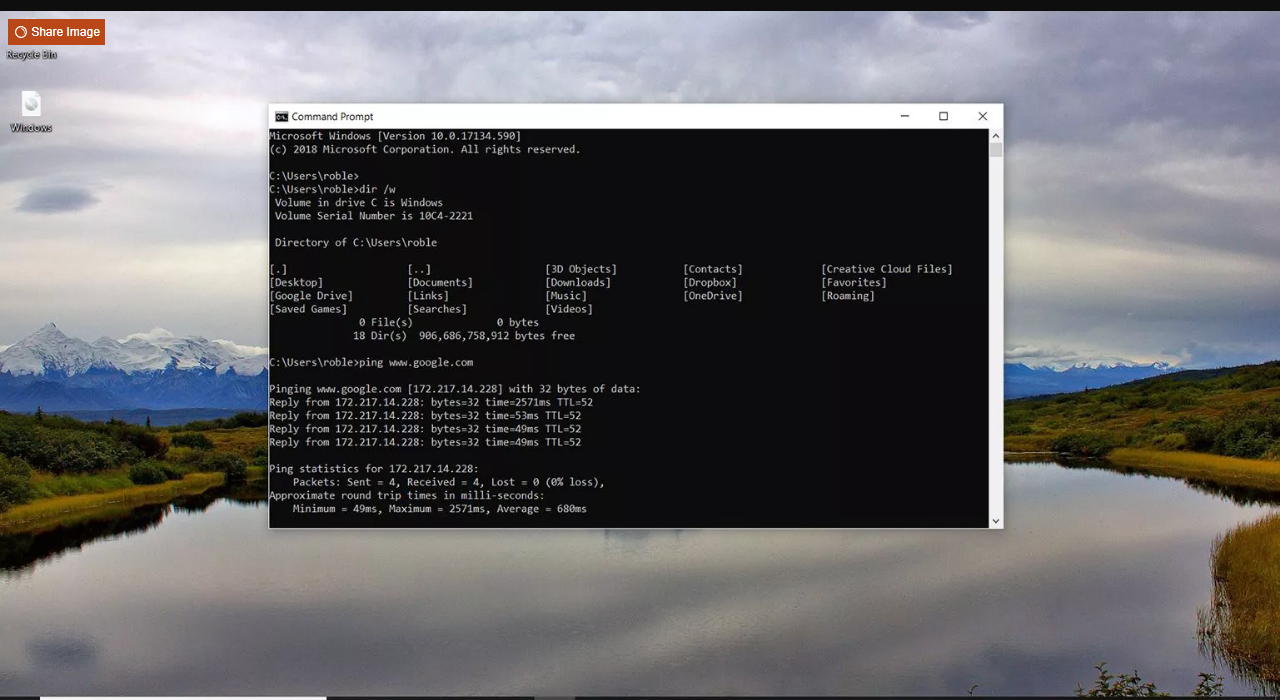
We all experienced slow internet speed, it's a never-ending issue. I might be an issue with ISP or network configuration itself.
Using a Command Prompt can be resolved many common issues such as DNS, IP Address, or DNS. Here are some command prompt tips you can try to fix slow internet issues.
Accessing Command Prompt
Open your Windows Search Bar and type cmd and right-click the Command Prompt option and select "Run as administrator". There are different ways to access the command prompt based on your Windows version. However, type in the Windows search bar is the easiest way.
Once you opened the Command Prompt window
1. Resetting Winsock
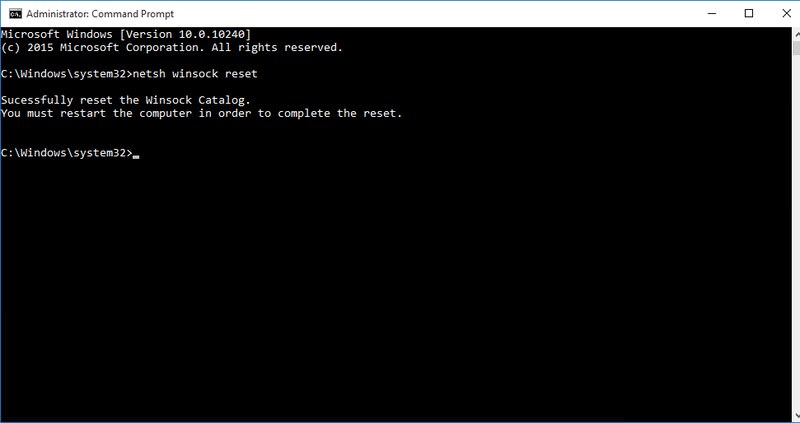
Winsock also known as Windows Network Sockets are used to exchanged information to manage redirect traffic to the right path. However, any corrupted socket may result to slow internet connection.
To reset your Windows Network Socket back to default, type netsh winsock reset in the Command Prompt and press Enter. After execution, restart your computer to apply changes.
2. Renewing IP Address
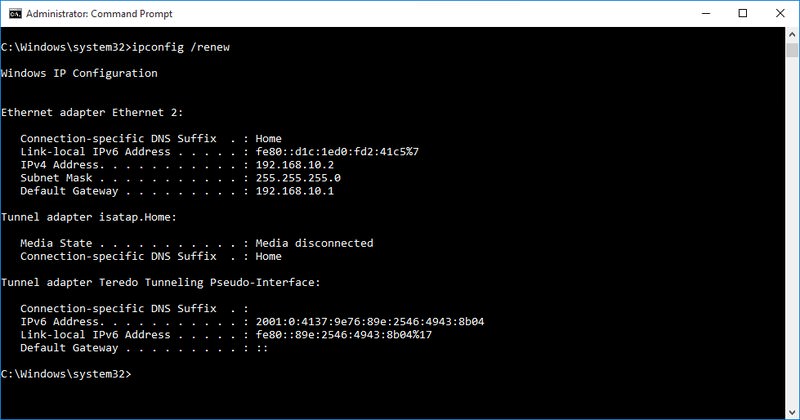
IP conflict or problem at the DHDP server may affect your current IP Address. This will cause a lot of issues including slow internet connection.
To do so, open your Command Prompt and type ipconfig /release and press Enter. This will show you a large column of text.
Next type ipconfig /renew and press Enter for the second time. It will reset your IP Address and solve any related issues including slow internet speed.
3. Flush DNS Resolver Cache
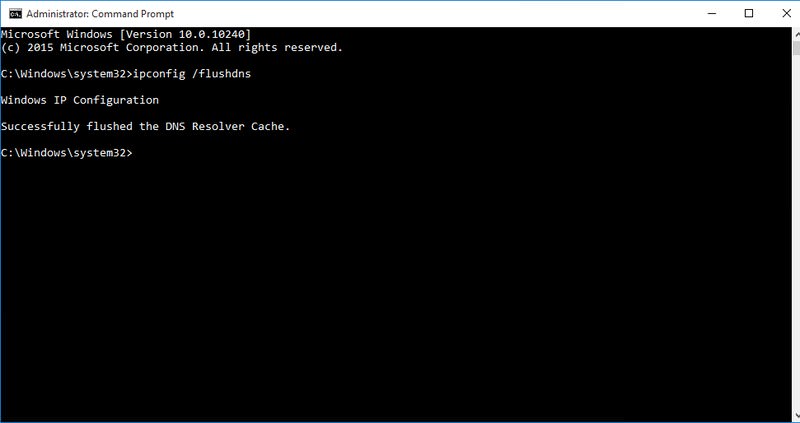
Your computer stores a list of websites IP addresses and hostnames that you browsed and save it to DNS resolver cache. This will save you time with the website you previously visited.
But, Any corruption in the DNS resolver cache will result in no access to website or slow internet connection.
To resolve this, type ipconfig /flushdns on the Command Prompt and press Enter. A text will show saying " Successfully flushed DNS Resolver Cache"
There are many ways to speed up your computer. By doing this command line trick will help you speed up your internet connection.
Related Posts
 Broadband Deals
cheap internet plans
Subscription
Broadband Deals
cheap internet plans
Subscription
Affordable High-Speed Internet for Seniors and Families
Find affordable high-speed internet for seniors and families. Compare speeds, costs, discounts, and low-cost plans to choose reliable service.
 Technology
Internet Speed Test: Benefits, Pros, and Cons Explained
Learn how internet speed tests work, what they measure, and their key benefits, pros, and cons. Get accurate results and use them to hold your ISP accountable.
 cheap internet deals
Wifi
cheap internet deals
Wifi
How to Get Cheap Temporary Internet for 3–6 Months
Learn how to get affordable temporary internet for 3–6 months without cancellation fees, including no-contract, 5G, prepaid, and flexible internet options.
 Broadband Deals
How to Search Internet Providers by Zip Code and Compare Plans
Search internet by zip code to find local providers, plans, and speeds available in your area. Compare options and get the best deal near you.
 Broadband Deals
cheap internet deals
Broadband Deals
cheap internet deals
How to Lower Your Home Internet Bill After ACP Ends
Learn practical ways to lower your home internet costs after ACP ended, including comparing plans, cutting fees, negotiating rates, and choosing the right speed